


COB LED Strip for BetaFPV Pavo Series (White) 56cm
 Drone service
 Rental
 Reliability
 Trust
Trust Own warehouse
  Warranty
BetaFPV Pavo Series COB LED Strip (White) 56cm
Give your drone a sharper look and improve visibility during night flights with the BetaFPV Pavo Series COB LED Strip in white. Designed for 5V power systems, this 56cm LED strip is a great match for selected BetaFPV Pavo and Meteor frames, helping pilots keep better visual contact with the quad in low-light conditions while adding a clean, eye-catching glow.
Mounted securely on the prop guard frame, the strip boosts orientation awareness and makes your build stand out both in the air and on the bench. Whether you are upgrading for style, better line-of-sight flying, or added visibility, this COB LED strip is a simple and effective addition to your FPV setup.
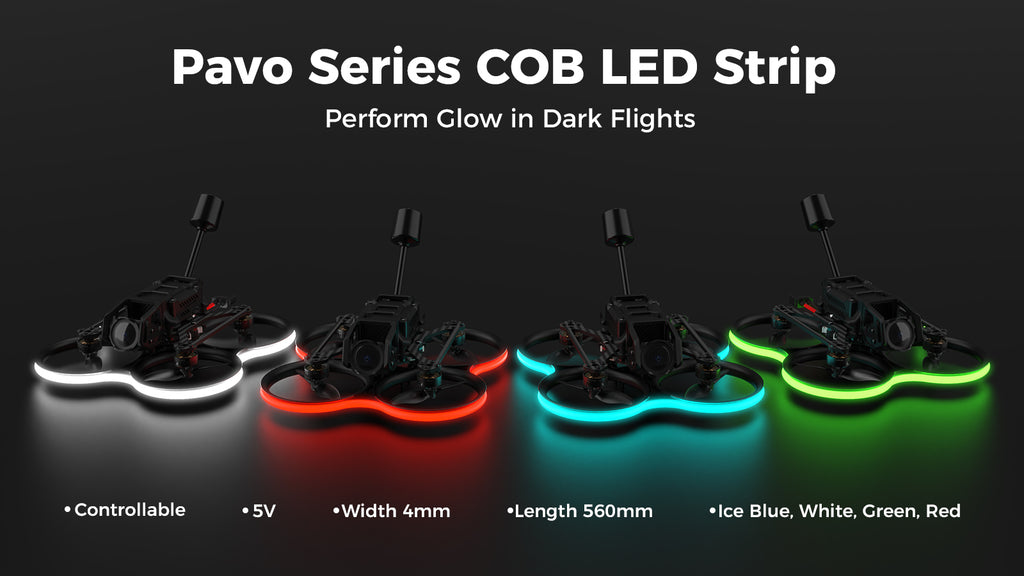
Key Features
- Bright COB LED strip for improved drone visibility in low-light and night flying conditions
- 56cm length and 4mm width for a clean fit on compatible BetaFPV frames
- 5V power input for easy integration with supported flight controller setups
- Helps pilots maintain better orientation and line-of-sight tracking during flight
- Adds a stylish lighting effect for a more custom and visually striking build
- Safe mounting on the prop guard frame for practical use and a neat installation
Specifications
- Product: Pavo Series COB LED Strip
- Color: White
- Available colors in the series: Ice Blue, White, Green, Red
- Length: 560mm
- Width: 4mm
- Operating voltage: 5V
- Current: 450mA~600mA (560mm version)
- Signal: High and low logic level
- Compatible drones: Pavo Pico, Pavo20, Pavo25 V2, Meteor85
Setup
Follow the steps below to configure the Pavo Series COB LED Strip:
- Connect your flight controller to Betaflight Configurator and open the CLI tab.
- Type resource in the CLI to export the current serial port configuration of the flight controller.
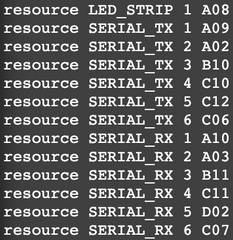
- Choose an available port on the flight controller as the control port for the COB LED strip. Example PINIO configuration for the LED_STRIP port:
| resource LED_STRIP 1 NONE | //Release the serial port function from the LED_STRIP pin |
| resource PINIO 1 A08 | //Assign the LED_STRIP pin (serial port A08) to the PINIO function |
| set pinio_box = 40,255,255,255 | //Configure the PINIO function parameters |
| save | //Save the configuration |
- Map the radio transmitter switch to the flight controller’s PINIO function. In Betaflight, assign PINIO (shown as USER1 in the diagram below) to a switch on your transmitter, for example AUX3.

Note: The physical appearance of the LED strip may differ from the emitted light color. The ice blue strip looks bright yellow before lighting up, the green strip appears white, and the white strip appears yellow.
Package Includes
- 1 x Pavo Series COB LED Strip
- 1 x 3-pin cable
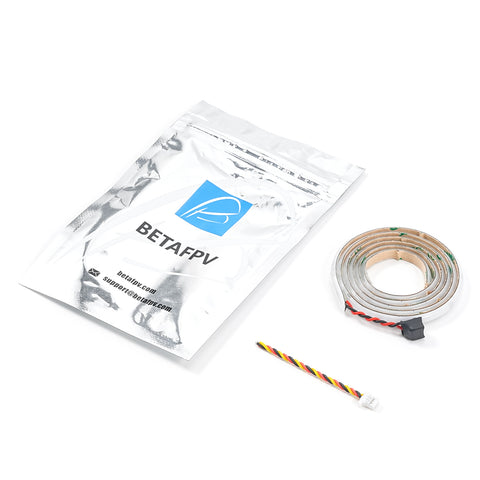
Specification COB LED Strip for BetaFPV Pavo Series (White) 56cm
 Get expert advice