


BetaFPV A03 VTX 25-400mW 5.8GHz
 Drone service
 Rental
 Reliability
 Trust
Trust Own warehouse
  Warranty
BETAFPV A03 25–400mW 5.8GHz VTX
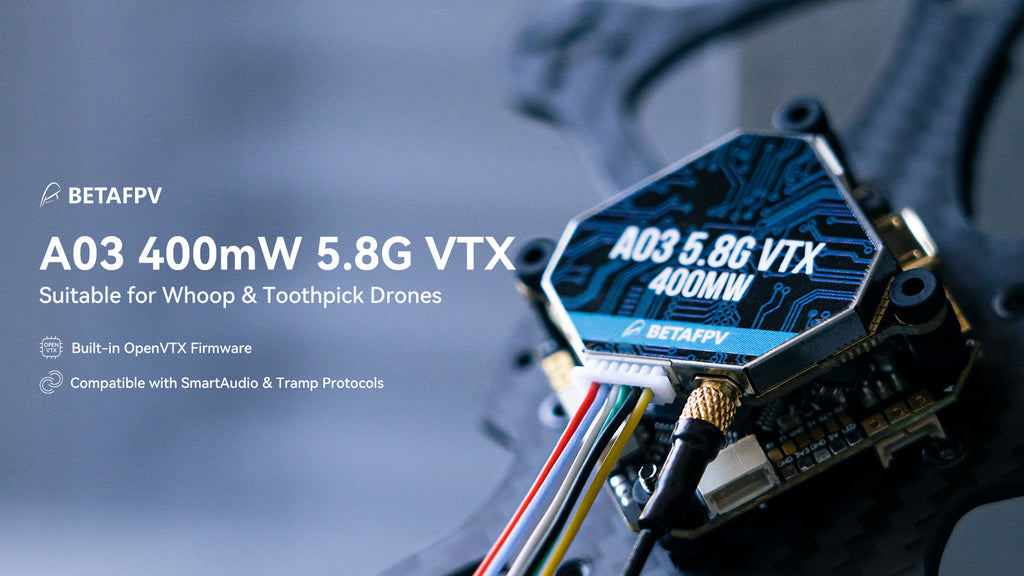
The BETAFPV A03 5.8GHz VTX is a compact and versatile FPV video transmitter designed for hobby pilots who want reliable performance, flexible power options, and easy integration with popular drone builds. Running OpenVTx firmware, it supports both SmartAudio and Tramp protocols, making it simple to adjust VTX settings such as power, band, and channel directly from your flight controller.
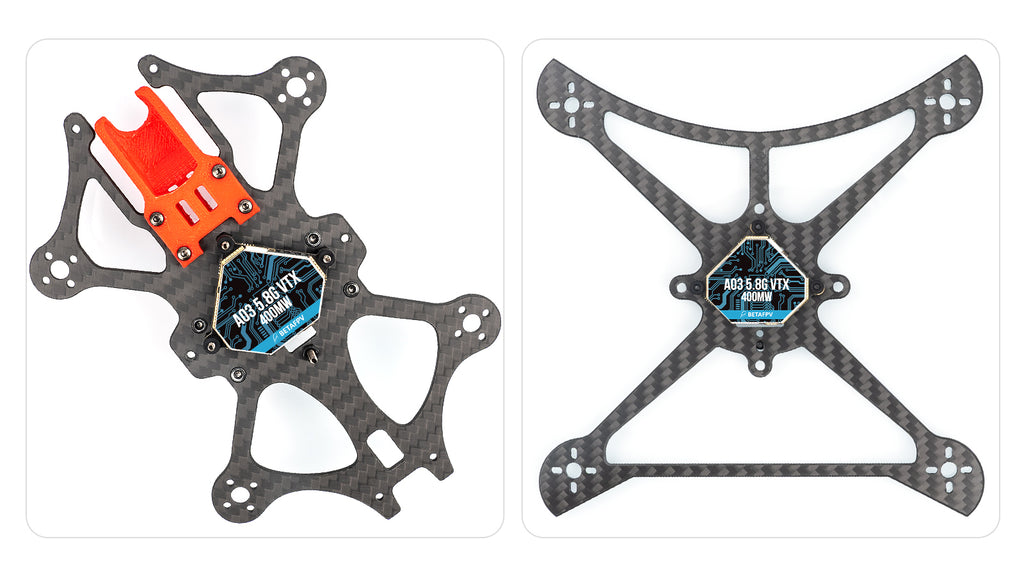
With adjustable output power levels including PIT, RCE, 25mW, 100mW, and 400mW, the A03 is ready for everything from indoor flying and race setups to stronger signal performance on outdoor freestyle sessions. Its lightweight design, stable 5.8GHz transmission, and 26x26mm mounting pattern make it a great fit for whoop and toothpick drones, including the X-Knight series, Beta85X/95X series, TWIG series, and Pavo series.
Key Features
- OpenVTx-powered 5.8GHz FPV video transmitter
- Supports both SmartAudio and Tramp protocols
- Adjustable output power: PIT / RCE / 25mW / 100mW / 400mW
- Stable signal transmission with strong interference resistance
- Lightweight 4.9g design without antenna
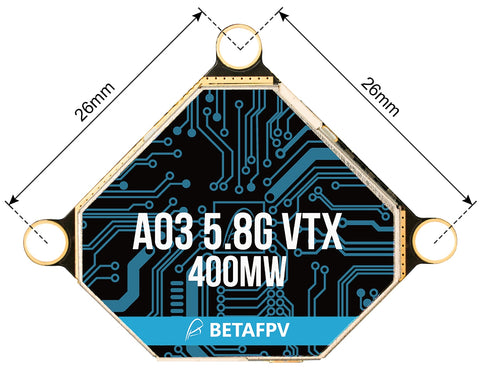
- 26x26mm mounting pattern for whoop and toothpick drone builds
- 6-pin connector helps reduce soldering and speeds up installation
- Compatible with popular models such as X-Knight, Beta85X/95X, TWIG, and Pavo series
Why choose the A03 VTX?
If you are looking for a solid FPV VTX with great value for money, the A03 is one of the most well-rounded options in the BETAFPV lineup. Compared to simpler alternatives, it gives you more control thanks to OpenVTx firmware, broader protocol compatibility, and adjustable power output without compromising everyday performance.
About OpenVTx
OpenVTx is open-source firmware created for the FPV community, designed to support both SmartAudio and Tramp protocols. The firmware can automatically detect the active protocol during startup, helping streamline setup and improving compatibility with modern flight controllers. Big thanks go to Jye Smith and all contributors involved in the OpenVTx project for their work and support of the FPV community.
Specifications
- Product: A03 5.8G VTX
- Output Power: PIT / RCE / 25mW / 100mW / 400mW (10–26dBm)
- Input Voltage: 7–35V
- Weight: 4.9g (without antenna)
- Dimensions: 30.34 x 30.34 x 4.6mm
- Mounting Hole Size: 26 x 26mm
- Antenna: Air Antenna (MMCX Straight)
- Frequency Band: 5.8GHz, 48 channels
- Raceband: 5658–5917MHz
- Channel Control: SmartAudio V2.0 & Tramp
- Modulation Type: FM
- Antenna Port: 50 Ω
- Operating Temperature: -10°C to +60°C
- Recommended Drones: 26x26mm mounting platform, Pavo series, X-Knight series, Beta85X/95X series, TWIG series
BETAFPV VTX Series Comparison
The A03 stands out as one of the best-value video transmitters in the BETAFPV VTX range. It combines OpenVTx firmware, dual SmartAudio and Tramp support, and up to 400mW output power, making it an excellent choice for hobby FPV pilots who want flexibility without unnecessary complexity.
| A03 VTX | M02 VTX | M03 VTX | A02 VTX | |
| Mounting Hole | 26x26mm | 26x26mm or 14x18mm | 14x18mm | 26x26mm |
| Max Output Power | 400mW | 350mW | 350mW | 800mW |
| Input Voltage | 7–35V | 4.5–5.5V | 4.5–5.5V | 7–35V |
| Protocol | SmartAudio & Tramp | SmartAudio | ||
| Firmware | OpenVTx | BETAFPV VTX System | ||
| Best For | Whoop and Toothpick drones | 3–5 inch drones | 65–85mm Whoop drones | Whoop drones |
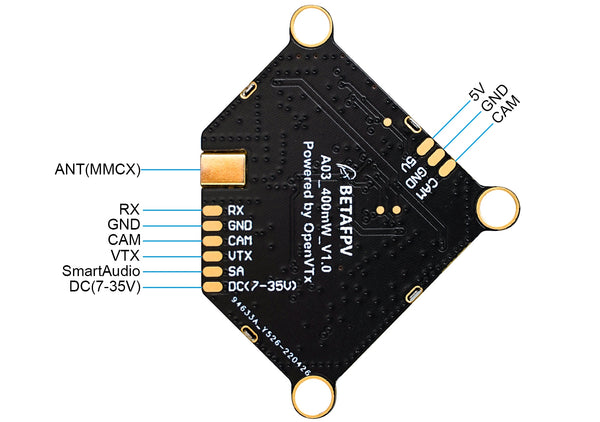
A03 VTX Diagram
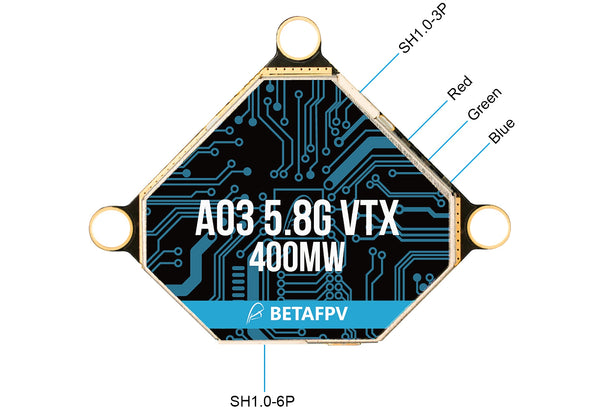
Below you can find the wiring and layout diagram for the BETAFPV A03 400mW 5.8G VTX, useful for installation and setup.
Band, Channel & Power Settings
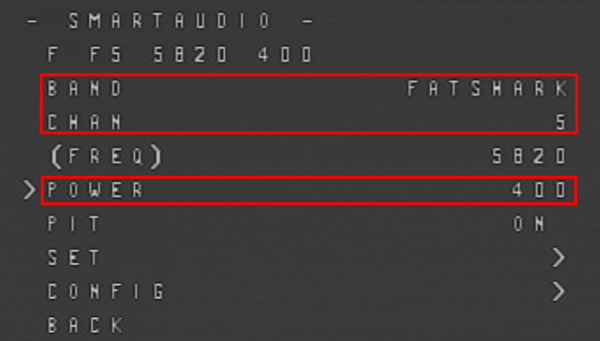
On the A03 400mW 5.8G VTX, band, channel, and power can only be adjusted through the OSD menu. Enter the OSD using your transmitter sticks, then go to FEATURES > VTX SA to change frequency and output power settings.
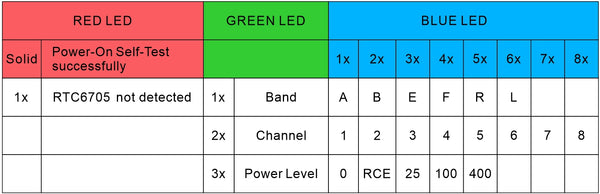
The LED status indicator for VTX mode, including band, channel, and power, follows an approach similar to TBS, making it easier for experienced FPV users to work with at a glance.
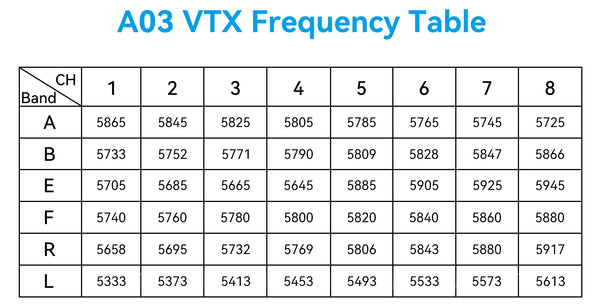
Below is the frequency chart for the BETAFPV A03 400mW 5.8G VTX.
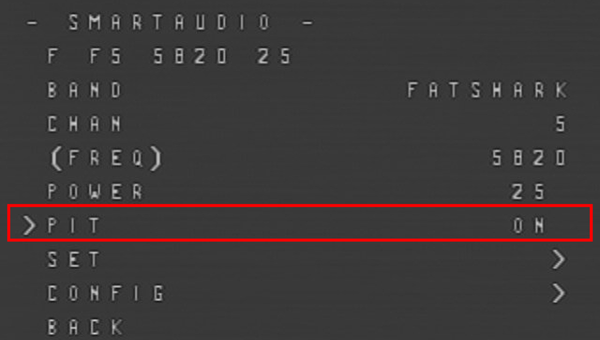
How to Enable or Disable Pit Mode
Set PIT ON or PIT OFF in the OSD menu to enable or disable Pit Mode.
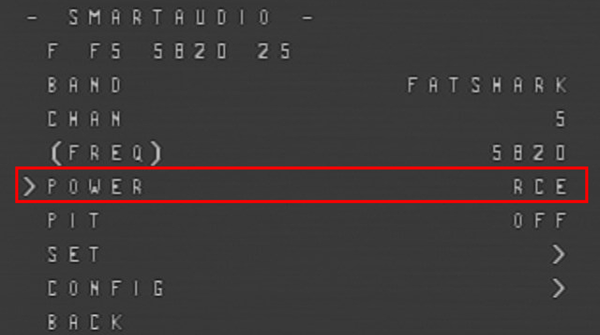
How to Enable or Disable Race Mode
For racing events, when using Pit Mode on a switch in Betaflight, select the RCE VTX power level. This forces Pit Mode at startup and limits power to 25mW. To do this, go to the OSD menu, choose POWER, and set the mode to RCE.
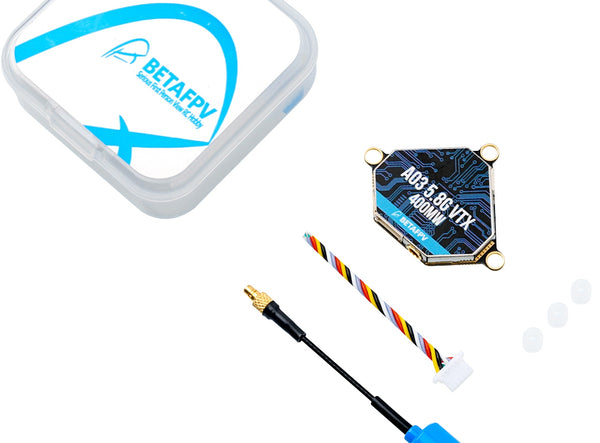
What’s in the Box
- 1 x BETAFPV A03 5.8G VTX
- 1 x 6-pin FC cable
- 1 x Air Antenna (MMCX Straight)
- 3 x Anti-vibration rubber grommets
Specification BetaFPV A03 VTX 25-400mW 5.8GHz
 Get expert advice