DJI FlightHub 2 Enterprise 12 Months – Electronic Code

DJI FlightHub 2 Enterprise is a powerful cloud-based drone operations management platform designed for users who want full control, smooth teamwork, and instant access to mission data. With a 12-month electronic license, you can plan flights, supervise your fleet, review collected materials, and manage operations from virtually anywhere in a secure cloud environment.
It is an excellent solution for users who need efficient mission planning, live operational insight, and convenient media management in one place. FlightHub 2 helps turn complex drone workflows into a faster, clearer, and more organized experience.
- 12-month DJI FlightHub 2 Enterprise license
- Electronic code for fast and convenient activation
- Cloud-based drone mission and fleet management
- Real-time situational awareness and live mission monitoring
- Advanced mapping, panorama sync, and media management tools
- Support for team collaboration across multiple devices
- Compatibility with DJI Dock autonomous operations
- Secure data storage in the cloud
Complete Real-Time Situational Awareness
FlightHub 2 gives you a clear live overview of your drone operations. All key mission information, fleet status, and collected data are available in one place, making it easier to coordinate tasks, react quickly, and keep every operation under control.

2.5D Base Map
Combine elevation data with satellite maps to improve terrain awareness during mission planning. This makes route preparation more intuitive and helps you better understand the operational environment before takeoff.
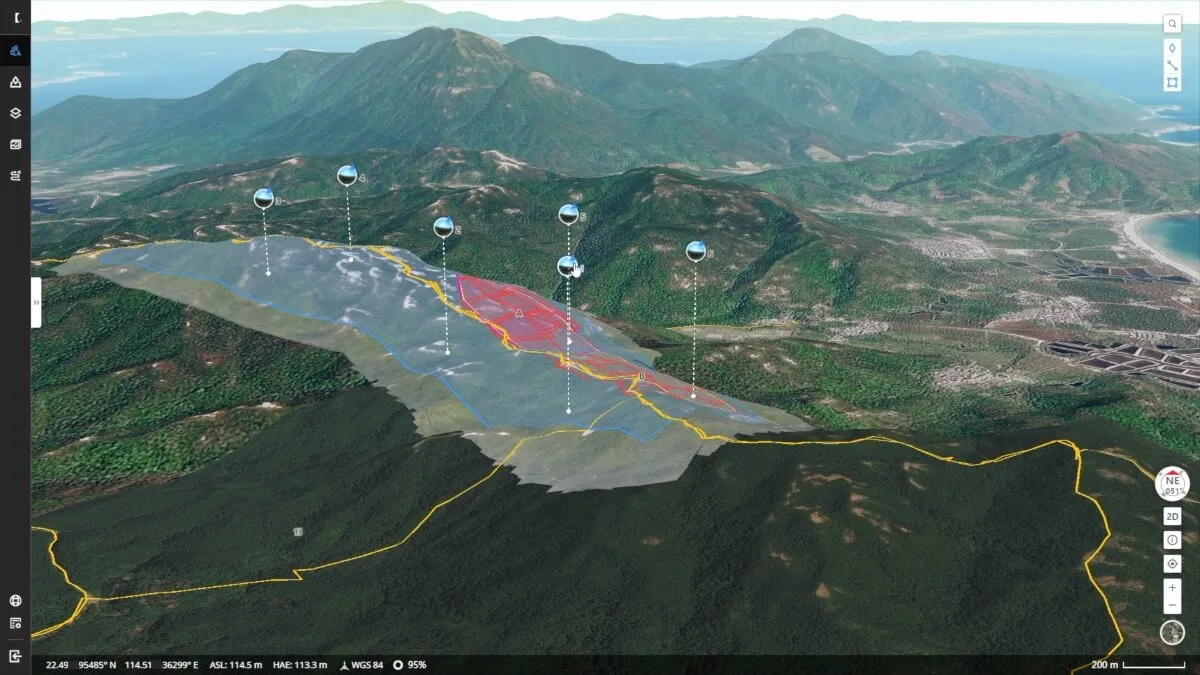
One-Tap Panoramic Sync
Create a 360° view and upload it to the cloud with a single tap. Shared panoramas are placed directly on the 2.5D mission map together with their coordinates, allowing the whole team to access aerial insights quickly and conveniently.
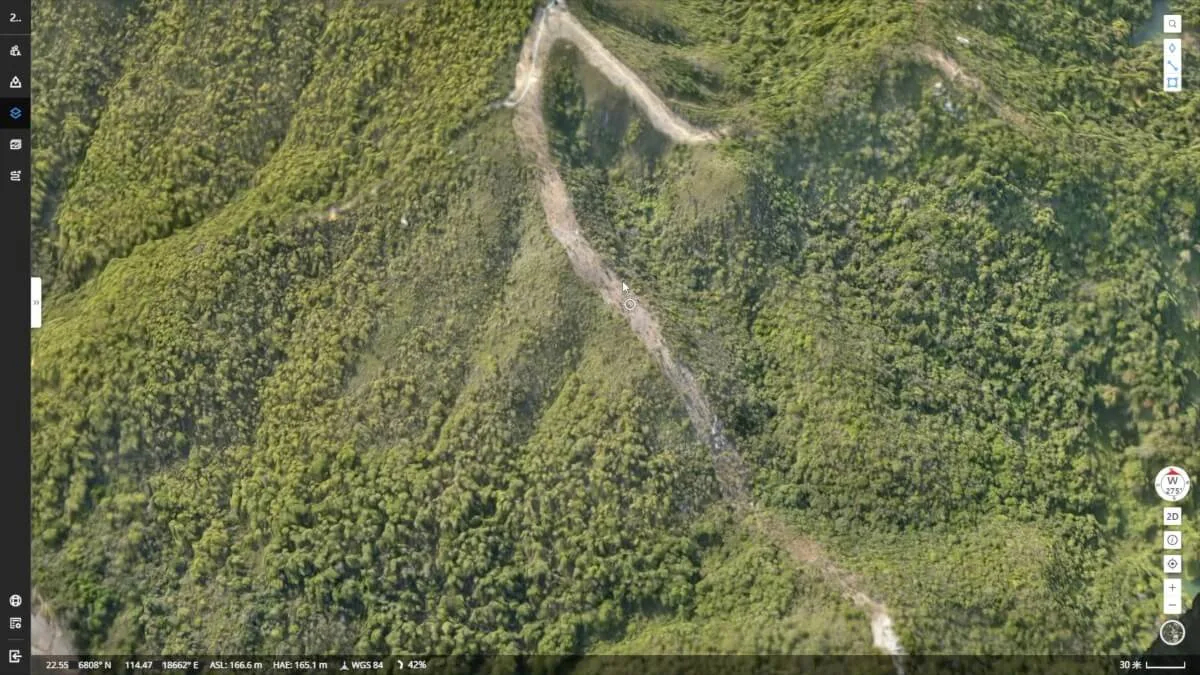
Cloud Mapping
Generate RGB orthomosaics or thermal area maps covering up to 1.5 km² in a single flight. The resulting orthomosaic is automatically overlaid on the 2.5D base map, giving you a detailed and easy-to-read picture of the mission area whenever you need it.
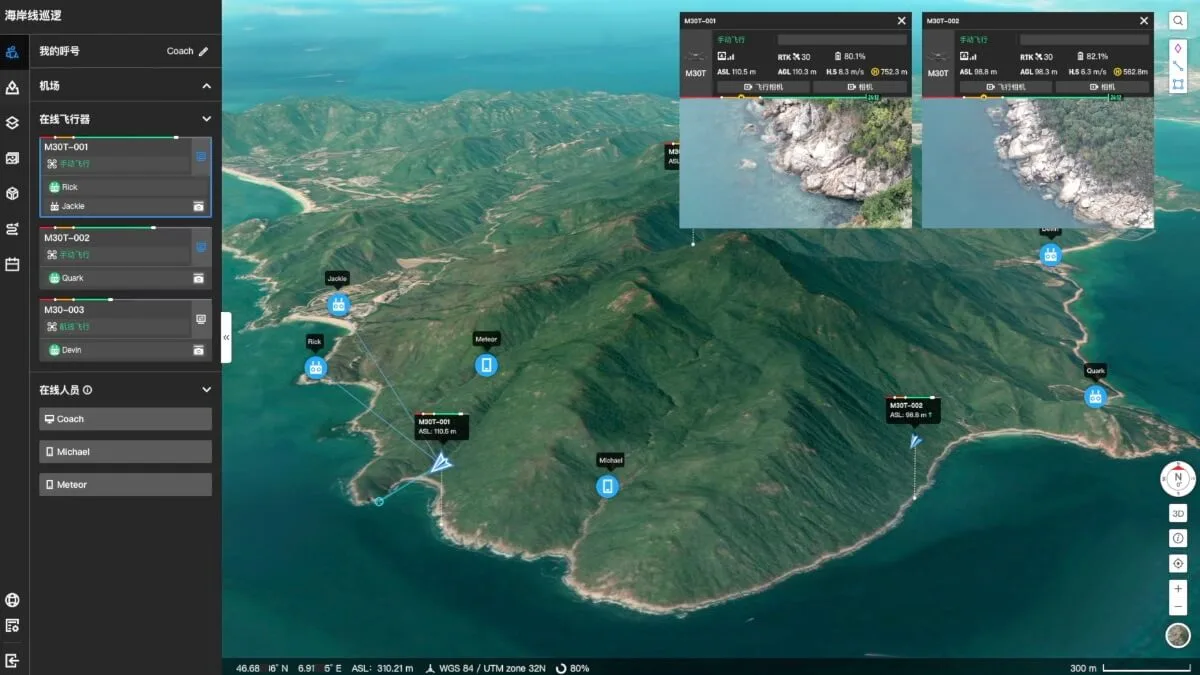
Live Mission Streaming
Connect multiple users to one or several drone missions at the same time and keep everyone up to date with high-resolution live video and low-latency streaming. It is a great way to improve coordination during dynamic operations.

Live Annotations
Highlight objects, zones, or points of interest in real time for better mission management and faster deployment of field teams. Annotations are visible to drone operators, ground teams, and other team members, helping everyone stay aligned.
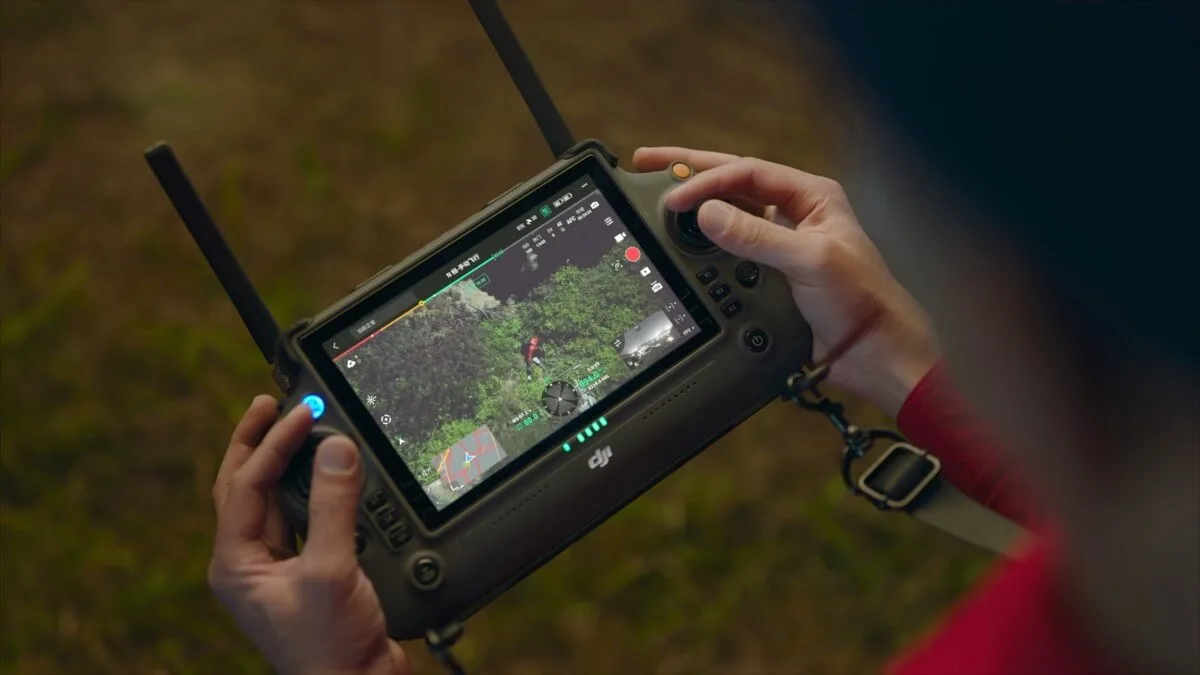
Smoother Team Communication
Synchronize critical information such as team positions, drone status, and mission details in real time across multiple device types. This makes collaboration easier, faster, and more efficient throughout the entire operation.
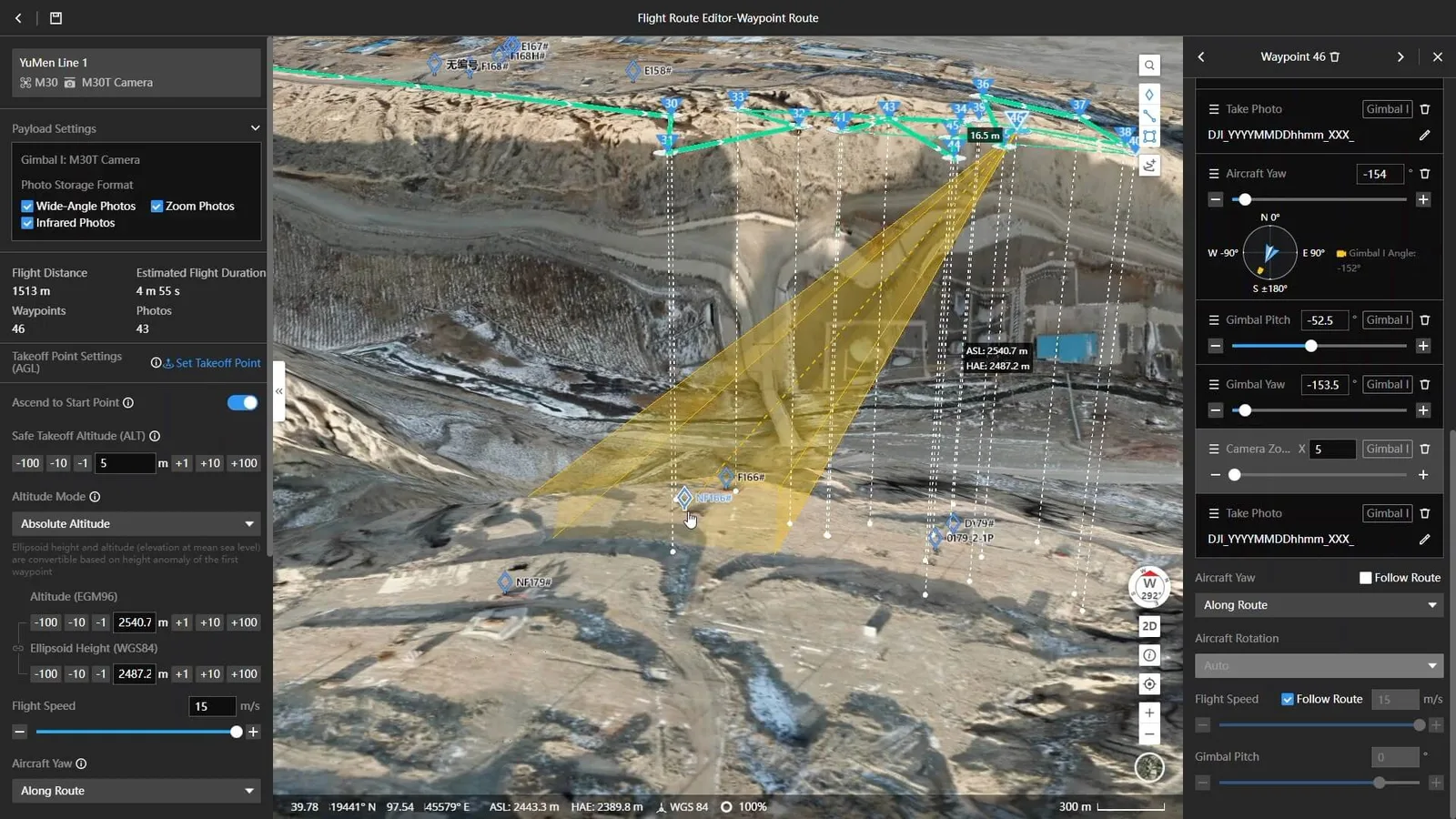
Route Planning and Mission Management
Create many types of missions directly from your computer using the 2.5D base map. Preview expected results for each waypoint to improve route safety and data quality, then sync missions with drone operators for efficient task execution.
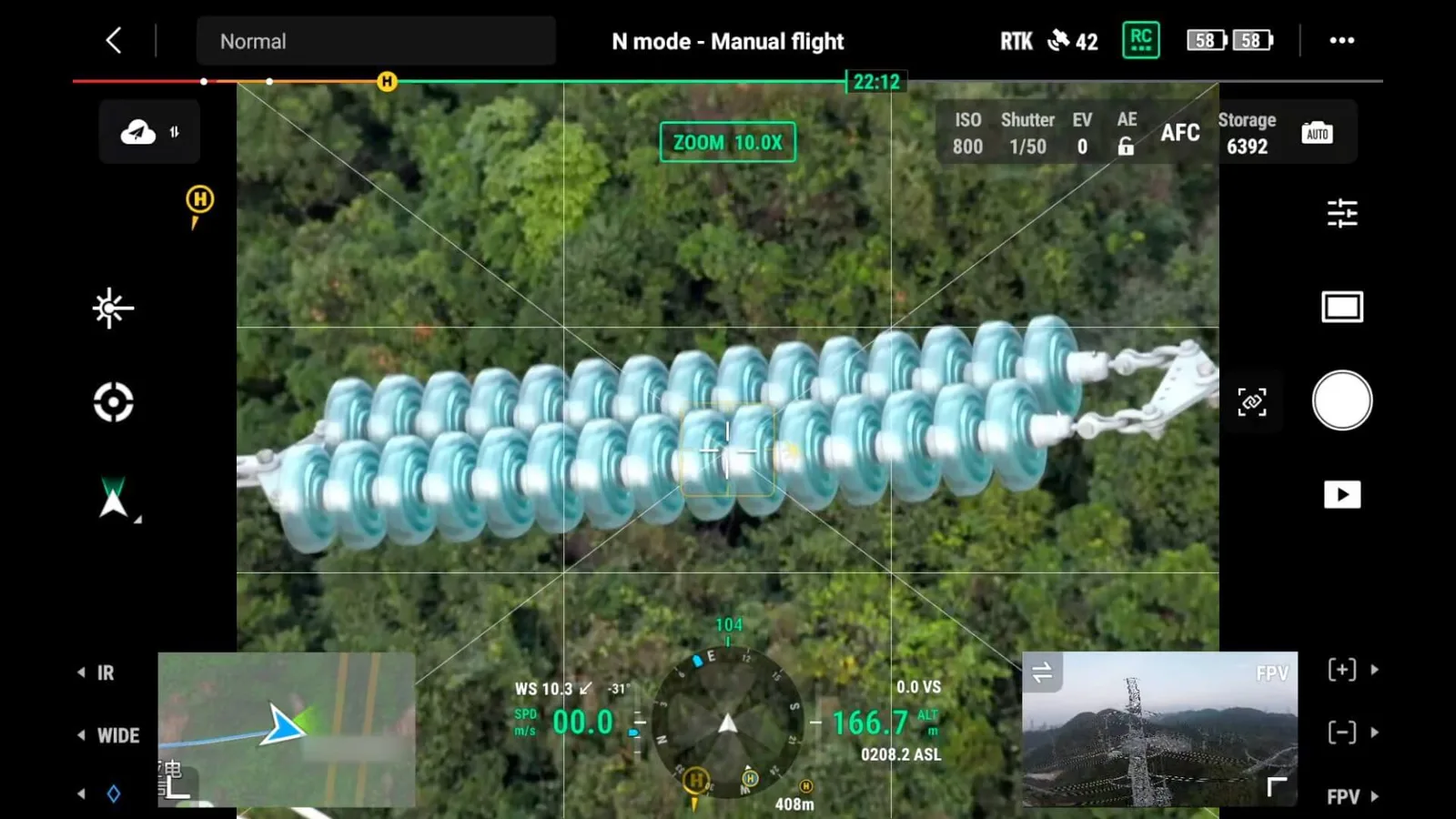
Media Asset Management
Review mission results directly in the cloud. Open any captured photo, video, or panorama and view it on the 2.5D base map together with related coordinate information for faster analysis and better organization.

DJI Dock Autonomous Missions
Full compatibility with DJI Dock opens up a new approach to remote operations. This integration makes automated workflows more practical and helps you manage drone activity even more efficiently from a distance.
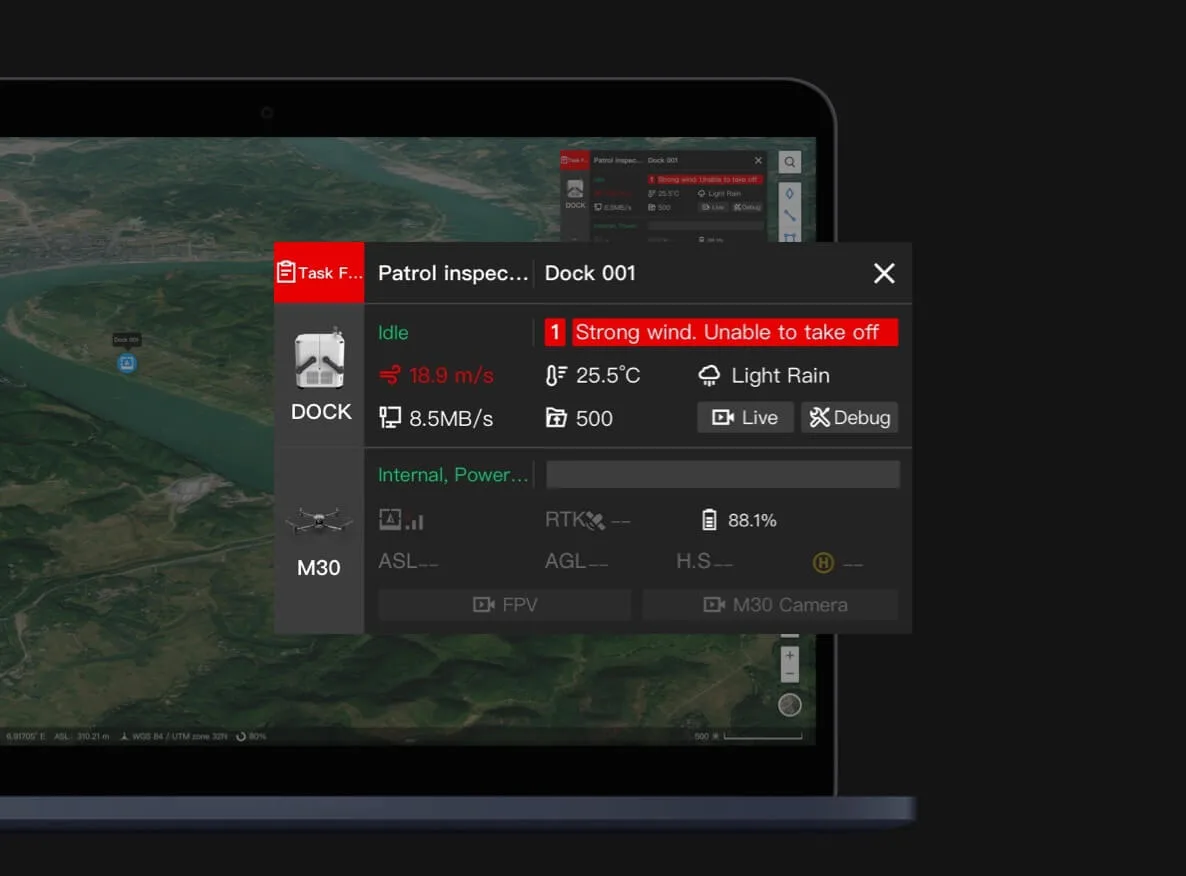
Automatic Alerts
If unusual conditions occur, such as heavy rain, strong wind, or other factors that may affect the mission or equipment integrity, FlightHub 2 can automatically trigger alerts so your team can react faster.
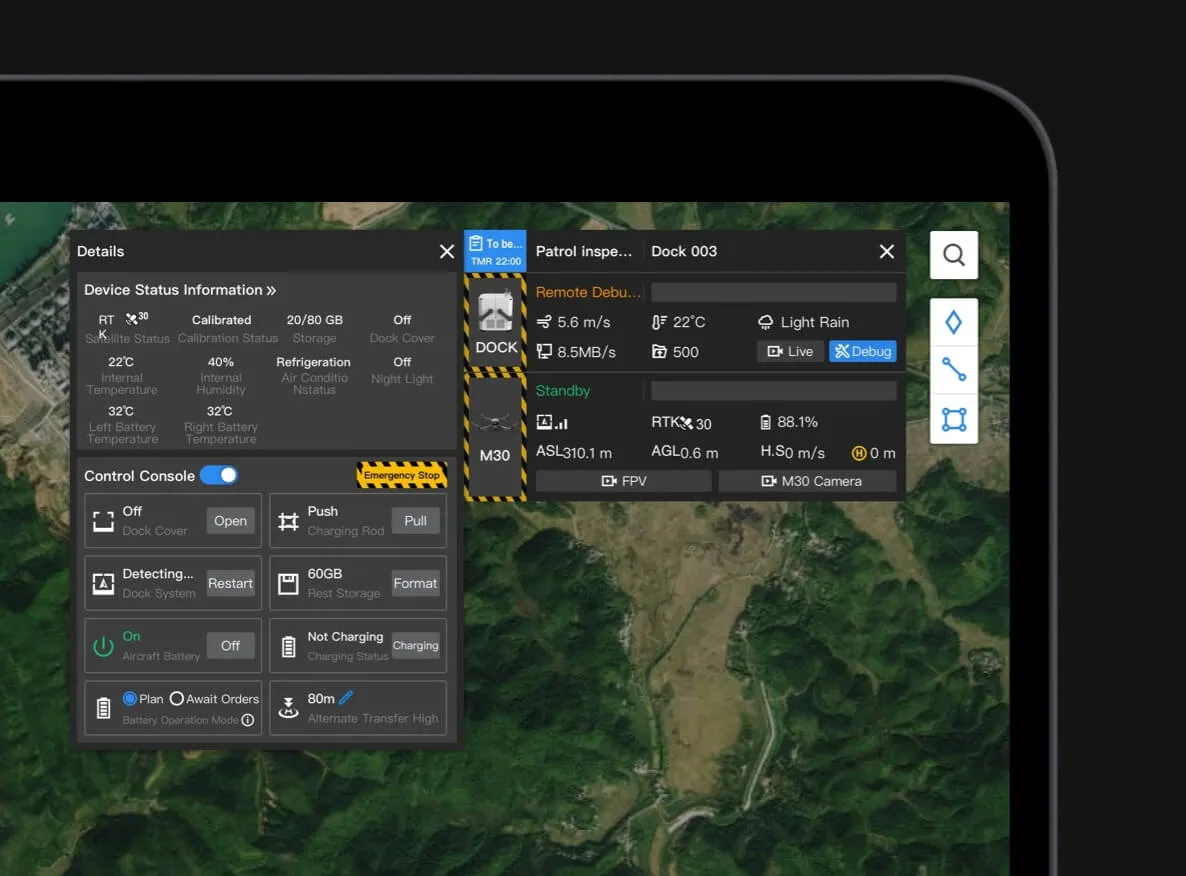
Remote Technical Support
Check DJI Dock status remotely and perform debugging when needed. This helps maintain operational continuity and reduces the need for frequent on-site maintenance visits.
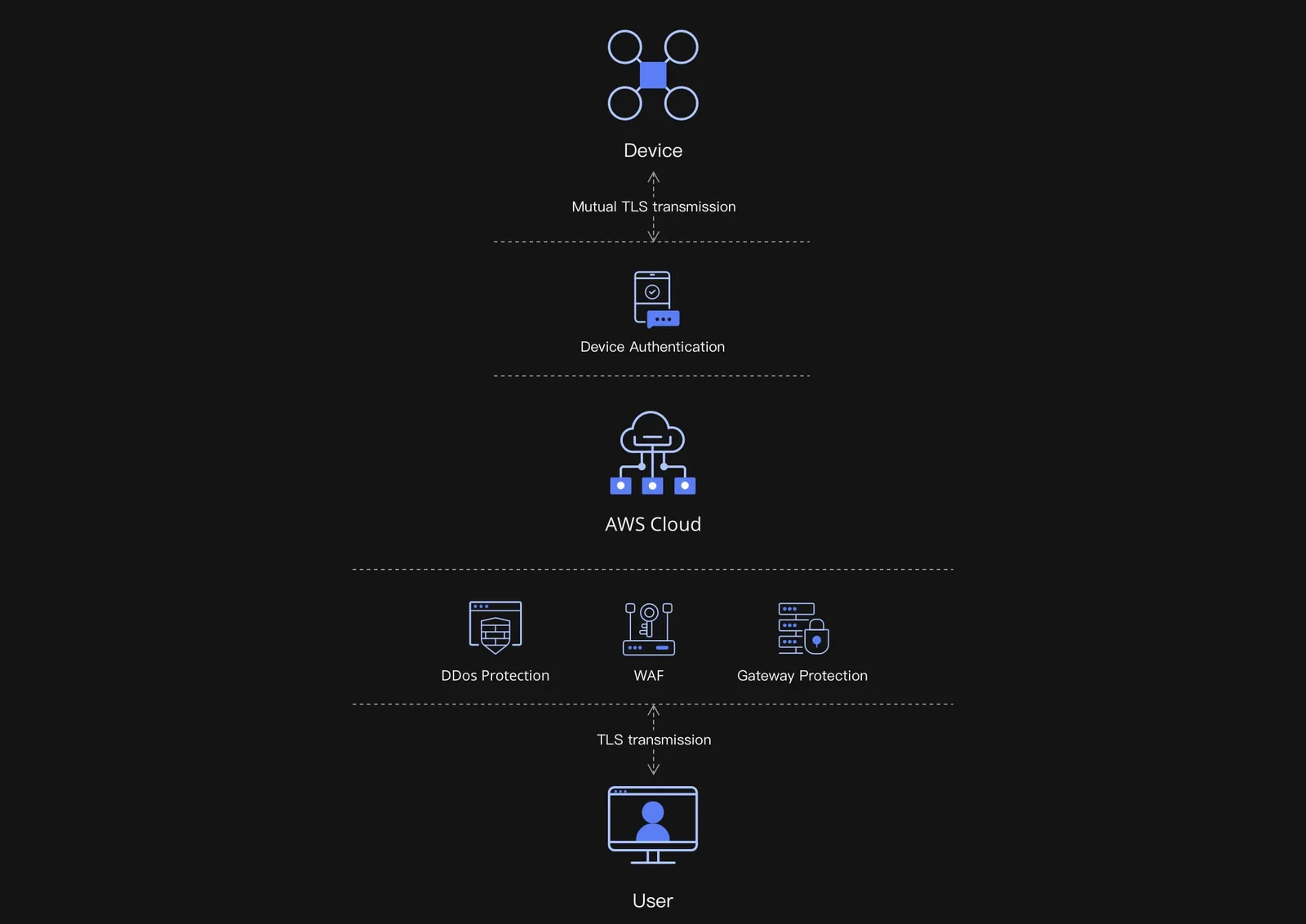
Secure Data Protection
DJI FlightHub 2 stores, transfers, and manages data in the cloud using Amazon Web Services infrastructure compliant with ISO/IEC 27001 security certifications, giving you confidence that your important operational data is well protected.
Why Choose DJI FlightHub 2 Enterprise?
- Easy access to mission planning and fleet oversight from the cloud
- Fast team coordination with live video, shared maps, and annotations
- Practical tools for mapping, media review, and remote operations
- Reliable solution for advanced DJI ecosystem users
- Convenient digital delivery with a 12-month activation code
| Feature |
Standard Version (Free) |
Professional Version |
Enterprise Version |
| Number of Projects |
5
You can create up to five projects in the organization. New projects cannot be created after the limit is reached. |
Unlimited |
Unlimited |
| Number of Devices |
- |
- |
Depends on the purchased base package and device expansion package. |
| Logo Replacement |
- |
Yes |
Yes |
| Custom Login Page |
- |
- |
Yes |
| Live Streaming |
2,000 minutes/month
Streaming time is calculated based on the total viewer watch time. Unused time rolls over to the next month. |
2,000 minutes/month |
Unlimited duration
Limited streaming minutes for dock cameras:
30,000 minutes for 1 year / 1 device
100,000 minutes for 3 years / 1 device |
| Storage Capacity |
5 GB |
500 GB
500 GB of cloud space available during the validity period. Once full, files can still be downloaded, but new uploads are not allowed. |
Unlimited capacity |
| Number of Mapping Images |
3,000 images/month
Unused quota rolls over to the next month. Real-time mapping and file-based mapping share the same limit. |
3,000 images/month |
150,000 images for 1 year / 1 device
450,000 images for 3 years / 1 device
150,000 images for online expansion |
| Display Model |
1
Includes 2D and 3D models. Only one model can be overlaid on the map at the same time within a project. |
Unlimited |
Unlimited |
| External Account Login |
- |
Yes |
Yes |
| OpenAPI |
- |
Yes |
Yes |
| Pricing Policy |
Free |
Paid |
Paid |






 Drone service
 Rental
 Reliability
 Trust
Trust Own warehouse
  Warranty