
FAQ | DJI Mic Mini 2 - answers to frequently asked questions

Which devices can be used with DJI Mic Mini 2?
You can use theDJI Mic Mini 2 in conjunction with various devices such as cameras, smartphones (using a USB-C/Lightning adapter or directly via Bluetooth) and computers.
DJI Mic Mini 2 supports the DJI OsmoAudio™ connectivity ecosystem.The transmitter supports a direct Bluetooth connection to DJI Osmo Pocket 3, DJI Osmo 360, DJI Osmo Nano or DJI Osmo Action 6 without the need for a receiver, ensuring high sound quality and simplifying hardware setup and workflow.
*For details, visit the Downloads page at DJI Mic Mini 2 in the Mobile Phone & Tablet Compatibility List and OsmoAudio Compatibility List sections.
**DJI Osmo Pocket 3, DJI Osmo 360, DJI Osmo Nano and DJI Osmo Action 6 are sold separately.
What are the differences between the different sets DJI Mic Mini 2?How to choose the right one for you?
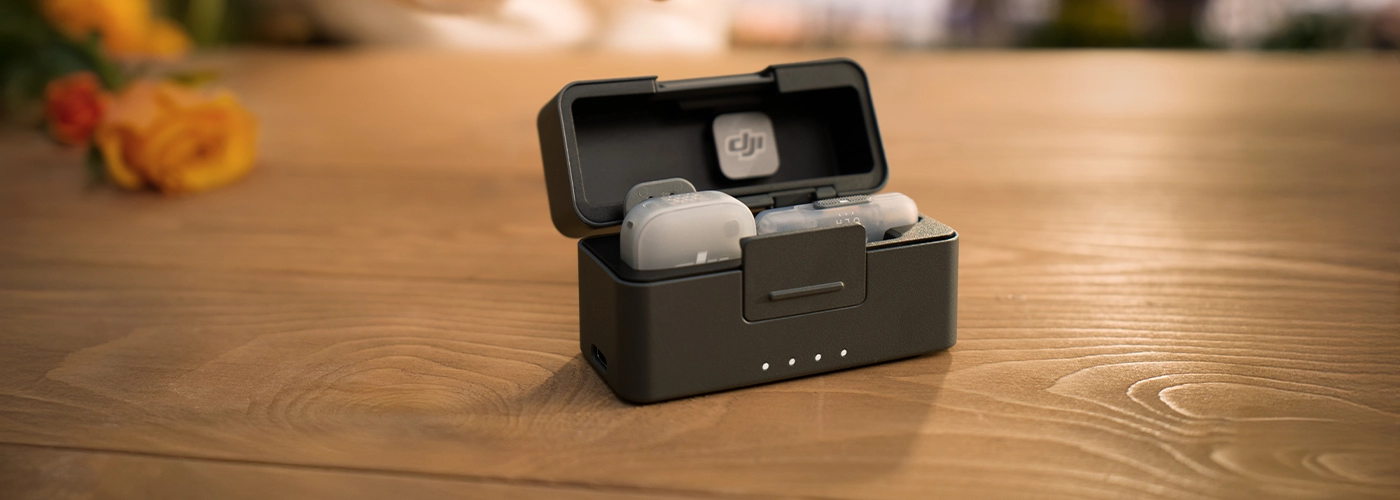
- Kit DJI Mic Mini 2 (2 TX + 1 RX + charging case) includes charging case, one receiver and two transmitters.It will work well in audio recordings for two people and provide extended runtime.
- Kit DJI Mic Mini 2 (1 TX + 1 RX) includes one receiver and one transmitter.It's the right choice for creators working independently.
- Kit DJI Mic Mini 2 (2 TX + 1 Mobile RX + charging case) includes charging case, one mobile receiver and two transmitters.Provides longer operating time and will work well for two-person recordings with smartphones.
- Kit DJI Mic Mini 2 (1 TX + 1 Mobile RX + charging case) includes charging case, one mobile receiver and one transmitter.This is a good solution for solo artists and recordings made with a smartphone.
- Transmitter DJI Mic Mini 2 can be used with smartphones, DJI Osmo Pocket 3, DJI Osmo 360, DJI Osmo Nano, DJI Osmo Action 6 and other ecosystem devices.
- The DJI Mic series mobile receiver can be used with smartphones (USB-C/Lightning port), computers (USB-C port), DJI Osmo Action 4 (USB-C port), DJI Osmo Action 5 Pro (USB-C port), DJI Osmo Pocket 3 (USB-C port), DJI Osmo 360 (USB-C port) and other compatible devices.
Do you need to activate DJI Mic Mini 2?
DJI Mic Mini 2 is ready to use without activation.However, you can scan the QR code on the packaging to register for a one-year warranty extension.
How to update the software of transmitters, receiver or mobile receiver DJI Mic Mini 2?
- Connect the DJI Mic Mini 2 receiver to your phone using the DJI Mic Mini Mobile Phone Adapter (USB-C), then update the receiver and transmitter software in the DJI Mimo app
- The mobile receiver can be connected to your phone directly via USB-C or using the DJI Mic Series Mobile Receiver Adapter (USB-C to Lightning), which allows you to update the software of the receiver and the DJI Mic Mini / DJI Mic Mini 2 transmitters in the DJI Mimo app.If two DJI Mic 2 / DJI Mic 3 transmitters or a combination of Mic Mini 2, Mic 2 and Mic 3 transmitters are connected to the mobile receiver (in blue light mode), you cannot update both transmitters at the same time - you must update them individually.For details, visit the official websites DJI Mic 2 and DJI Mic 3.
- The DJI Mic Mini 2 transmitter can also connect directly to a smartphone via Bluetooth for software updates
*Adapter DJI Mic Mini Mobile Phone Adapter (USB-C) is sold separately.
How to pair DJI Mic Mini 2 transmitters with receiver and mobile receiver?
Transmitters and receiver in the same set are paired by default.If you need to pair them again, you can do it in several ways:
- Method 1: Place the transmitters and receiver in the charging case - they will be paired automatically.
- Method 2: Enable the transmitters and receiver.Then press and hold the pairing button on the transmitters and receiver.When the system status LED on the transmitter starts flashing green and blue alternately, it means that the pairing process is in progress.When the LED turns solid green, pairing is complete.
- Method 3: Press and hold the pairing button on the mobile receiver to enter pairing mode (transmitter status LED will start flashing green).Then press and hold the pairing button on each Mic Mini and Mic Mini 2 transmitter to put them into pairing mode.After successful pairing, the system status LED on the transmitter and the transmitter status LED on the receiver will light solid green.
Press the pairing button on the receiver twice and then hold it down to re-enter pairing mode (the transmitter status LED will flash blue).In this mode, you can combine two transmitters DJI Mic 2 or Mic 3 or freely combine Mic Mini, Mic Mini 2, Mic 2 and Mic 3 transmitters.After successful pairing, the system status LED on the transmitter and the transmitter status LED on the receiver will light up solid blue.
*To stop the pairing process, you can turn off the devices.
How many recording modes does DJI Mic Mini 2 offer??
DJI Mic Mini 2 offers three recording modes: M (Mono), S (Stereo) and Ms (Mono Safety Track).
- S: Sound from two transmitters is recorded through separate channels.
- M: Mono mode.In mono mode, the sound recorded by two transmitters will be combined into one channel.
- Ms: Mono with Safety Track mode.DJI The Mic Mini 2 will record two tracks - a main track with standard volume and a backup track at -6 dB to prevent distortion in the event of a sudden increase in source volume.
*If you use Ms (Mono Safety Track) mode, you must separate the tracks during post-production.
What features the charging case DJI Mic Mini 2 offers?
The charging case DJI Mic Mini 2 allows you to store your transmitters with the wind shield and magnetic front cover attached, as well as with the magnet or magnetic clip attached.The case cover can store a magnet and magnetic clip or audio adapter cable.When storing a mobile receiver from the DJI Mic series, the left side of the case cover allows you to store a magnet or magnetic clip, while the right side allows you to store only the magnet.When fully charged, the case can charge two transmitters and one receiver about 3.6 times.
A fully charged charging case DJI Mic Mini 2 (1 TX + 1 Mobile RX) can charge the transmitter approximately 1.3 times.It allows you to store the transmitter with the magnetic front cover installed and the magnet or magnetic clip attached.A magnet or magnetic clip can be stored in the cover of the case.
*To prevent damage to the product, do not stack items on top of each other in the charging case.
**Adapter DJI Mic Mini Mobile Phone Adapter (Lightning) is sold separately.
*** Only one of the items can be stored in the case at a time: magnetic clip, magnet or TRS 3.5mm cable.
****If you want to store a mobile receiver from the DJI Mic series, only a magnet can be placed in the right compartment of the top of the case.
*****Both cases allow storage and charging of the transmitter DJI Mic 3.
Are the DJI Mic Series Mobile Receiver Adapter (USB-C to Lightning) and DJI Mic Series Mobile Receiver Adapter (USB-C to USB-C) compatible with the DJI Mic, DJI Mic 2, DJI Mic 3, DJI Mic Mini and DJI Pocket 2 smartphone adapters?
They are compatible with the smartphone adapter DJI Mic Mini, while not compatible with other devices.
Are the DJI Mic Mini 2 transmitters and receiver compatible with DJI Mic, DJI Mic 2, DJI Mic 3 and DJI Mic Mini?
They are compatible with DJI Mic Mini transmitters and receivers, while not compatible with other devices.
What is the maximum transmission range between transmitters and receiver DJI Mic Mini 2?
When using the DJI Mic Mini receiver and two DJI Mic Mini 2 transmitters, the maximum transmission range can be up to 400 meters in an open environment without interference or obstructions
When using the DJI Mic series mobile receiver and two DJI Mic Mini 2 transmitters or two DJI Mic Mini transmitters (green LED mode), the maximum transmission range can be up to 300 meters in an open environment without interference or obstructions.
When using a mobile receiver from the DJI Mic series and any two transmitters from among DJI Mic Mini 2, DJI Mic 3, DJI Mic Mini and DJI Mic 2 (blue light mode), the maximum transmission range can be up to 200 meters in an open environment without interference or obstructions.
How long does it take to fully charge the transmitters and receiver using the charging case DJI Mic Mini 2?How long does it take to fully charge the charging case alone?
It is recommended to use a 5 V / 2 A charger (max.) for charging transmitters, receiver and charging case DJI Mic Mini 2.
At room temperature, it takes about 100 minutes* and 70 minutes* respectively to fully charge the receiver and transmitters using the charging case.It takes about 2 hours* to fully charge the charging case of DJI Mic Mini 2, while the DJI version of Mic Mini 2 (1 TX + 1 Mobile RX) takes about 1 hour*.
*Measured in a controlled test environment.The information provided here is for reference only.
How to enable noise reduction on DJI Mic Mini 2?How to adjust noise reduction levels?
DJI Mic Mini 2 offers two levels of noise reduction.
When using the DJI Mic Mini receiver, you can turn noise reduction on or off by pressing the power button on the transmitter once, and set the reduction level (Strong or Basic) in the DJI Mimo* app.
When using a mobile receiver from the DJI Mic series, you can turn noise reduction on or off using the noise reduction mode switch (Off = O, Low = L, High = H).In this case, noise reduction cannot be turned on or off with the power button.When using DJI OsmoAudio to connect directly to DJI Osmo Pocket 3, DJI Osmo 360, DJI Osmo Nano, DJI Osmo Action 6 and other ecosystem devices, settings can be changed in the menu of the respective device.
*When the transmitter connects directly to a smartphone, there is no way to adjust the level of noise reduction in the DJI Mimo app.The default setting is Strong.
Does DJI Mic Mini 2 support power saving and automatic shutdown after a period of inactivity?
The DJI Mic Mini 2 transmitter supports automatic power saving, which only works when the device is turned on.Transmitter automatically goes into sleep mode when it does not detect a signal from the receiver.When the signal is detected again, it wakes up and connects to the receiver.
DJI The Mic Mini 2 supports automatic shutdown after a period of inactivity, which must be configured in advance for both the receiver and transmitters using the DJI Mimo app.Automatic shutdown time is set to 15 minutes.The logic behind the operation is as follows:
- When automatic shutdown is enabled for the receiver and transmitters: if no signal is detected, the transmitter will go into power-saving mode without shutting down, and the receiver will remain on.After 15 minutes, both devices will automatically turn off.
- When automatic shutdown is enabled for the receiver and disabled for the transmitters: if no signal is detected, the transmitters will go into power-saving mode without shutting down, and the receiver will remain on.After 15 minutes, the receiver will automatically turn off while the transmitters remain in power-saving mode without shutting down.
- When automatic shutdown is enabled for transmitters and disabled for the receiver: if no signal is detected, the transmitter will go into power-saving mode without shutting down, and the receiver will be on.After 15 minutes, the transmitter will automatically turn off while the receiver remains on.
- When automatic shutdown is disabled for the receiver and transmitters: only the transmitters will go into power-saving mode when they do not detect a signal, and none of the devices will turn off automatically.
What is the magnetic strength of the clip for DJI Mic Mini 2 and the magnet for DJI Mic 3?
The magnetic force of the clip for DJI Mic Mini 2 is 10 N.
*DJI Mic Mini 2 uses unipolar magnetization and can attract metal objects weighing up to 1 kg.
Can magnetic clip for DJI Mic Mini 2 and magnet for DJI Mic 3 affect bank cards?
All magnetic products contain magnets.It is recommended to keep the magnetic clip DJI Mic Mini 2 and magnet DJI Mic 3 away from bank cards, pacemakers, RAM chips and hard drives.
What to keep in mind when using the magnetic clip for DJI Mic Mini 2 and the magnet for DJI Mic 3?
- DO NOT use the magnetic clip or magnet when wearing thick clothing (sweaters, down jackets, etc.).).Otherwise, the transmitters may fall off due to lack of sufficient magnetic attraction.
- Take special care when using the magnetic clip and magnet with intense exertion (such as jumping, sprinting, etc.).).
Where to mount the DJI Mic Mini 2 transmitter?
The DJI Mic Mini 2 transmitter can be mounted on the collar, lapel, brim of the cap and other places using the magnetic clip.The magnetic clip allows attachment in four directions (up, down, left or right) for optimal sound recording results.The transmitter can also be attached to other items of clothing with a magnet, for example, in the middle of a soft fabric to prevent it from falling off.In addition, the transmitter has a built-in magnet, so you can attach it to metal surfaces according to your recording needs.
How DJI Mic Mini 2 transmitters receive audio signals?Whether the directivity pattern is directional or omnidirectional?
Microphone DJI Mic Mini 2 collects signal omnidirectionally.
How many modes are supported by the DJI Mic Mini 2 transmitters?
- Green LED mode: transmitters connect to the receiver in the 2.4 GHz band.
- Blue light mode: transmitters connect directly to selected products DJI via DJI OsmoAudio™ or to smartphones via Bluetooth.
*Allowed frequency band varies by country and region.For details, see local laws and regulations.
When the transmitter is connected to a phone via Bluetooth, does it support audio recording during live broadcasts?How to connect the transmitter to your phone via Bluetooth?
- It depends on the compatibility of the live streaming app and the smartphone's operating system.You can test this with Bluetooth headphones or headsets.If you are unable to record audio using headphones or a headset for live broadcasting, the transmitter does not support this function when connecting to a phone via Bluetooth.For software compatibility information, see the Third-Party App Compatibility List on the Downloads page of the official website DJI Mic Mini 2.
- To establish a connection, turn on the transmitter.Press and hold the pairing button for two seconds and the phone will automatically search for available Bluetooth devices.When DJI Mic Mini 2 Transmitter appears, select it to complete the pairing.When the transmitter status indicator turns solid blue, pairing is complete.If your smartphone can't find DJI Mic Mini 2, turn off the Bluetooth connection on your phone, then turn it back on and try again.
With which devices the DJI Mic Mini 2 transmitter can connect wirelessly?How many transmitters can be connected to simultaneously?
DJI Mic Mini 2 supports the DJI OsmoAudio™ connectivity ecosystem.The DJI Mic Mini 2 transmitters can directly connect to selected DJI products (one TX from DJI Osmo Action 4 and up to two TX from DJI Osmo Pocket 3, DJI Osmo 360, DJI Osmo Nano or DJI Osmo Action 6).Transmitters DJI Mic Mini 2 can directly connect to a smartphone via Bluetooth.When the transmitter connects directly to the phone, the noise reduction level cannot be adjusted in the DJI Mimo app and is set to Strong by default.Low Cut settings are also not supported in the application.
Can I use the DJI Mic Mini 2 transmitter as a voice recorder?
The DJI Mic Mini 2 transmitter has no internal memory, so it cannot act as a voice recorder.
How to replace the front magnetic cover of the transmitter DJI Mic Mini 2?
The DJI Mic Mini 2 transmitter has an interchangeable magnetic front cover and comes standard with Obsidian Black and Glaze White covers.Multi-colored wind shields and multi-colored magnetic front covers are also available.To replace the cover, simply lever it up from the bottom of the transmitter at the notch and replace it with another one.
*Multi-color wind shields and multi-color magnetic front covers for DJI Mic Mini 2 are sold separately.
How many transmitters can be paired with the DJI Mic Mini 2 receiver?
The DJI Mic Mini 2 receiver and the DJI Mic series mobile receiver can be paired with up to two transmitters simultaneously.
Can the DJI Mic Mini 2 receiver transmit audio data to devices with XLR input ports?
No, it is not possible to transfer audio data to devices with XLR ports.
When I connect the DJI Mic Mini 2 receiver to my phone, can I play the recorded audio on my phone?
You can enable playback without disconnecting the receiver in the DJI Mimo app.
When you turn it on, you can play audio on your smartphone without unplugging the receiver.When the function is disabled, it is necessary to unplug the receiver to play the sound on the phone.
Does DJI Mic Mini 2 support simultaneous charging of phone and receiver?
Yes.When the DJI Mic Mini 2 receiver is connected to your phone using an adapter or the DJI Mic series mobile receiver is connected directly to your phone, you can use a charging cable to charge both your phone and the receiver through its USB-C port.
Is Stereo mode supported when DJI Mic Mini 2 is connected to the phone using an adapter?
For a list of compatible devices, visit the Downloads section of the official website at DJI Mic Mini 2.
What signals does the DJI Mic Mini 2 receiver send - digital or analogue?
Receiver OUT port DJI Mic Mini 2 transmits analog signals to camera.
Adapter DJI Mic Mini Mobile Phone Adapter (USB-C/Lightning) and receiver's USB-C port transmit digital signals.
What is the automatic on/off function of DJI Mic Mini 2 in sync with the camera?How to use it?
When the DJI Mic Mini 2 receiver is connected to the camera via a 3.5mm TRS cable, you can enable this function using the DJI Mimo app.When you do this, the receiver will automatically turn on and off in sync with the camera.
How many transmitters can the DJI Mic series mobile receiver connect to at once?
Mobile receiver can connect to up to two transmitters simultaneously.
Which transmitter models are compatible with DJI Mic series mobile receiver?Can different models of transmitters be connected simultaneously?
Mobile receiver can simultaneously connect to up to two DJI Mic Mini transmitters or two DJI Mic Mini 2 transmitters.Press and hold the pairing button on the receiver to enter pairing mode (transmitter status LED will start flashing green).Then press and hold the pairing button on each transmitter to put them into pairing mode.After successful pairing, the LEDs on the transmitter and receiver will turn solid green.
Press the pairing button on the receiver twice and then hold it down to re-enter pairing mode (the transmitter status LED will flash blue).In this mode, you can combine two transmitters DJI Mic 2 or Mic 3 or freely combine Mic Mini, Mic Mini 2, Mic 2 and Mic 3 transmitters.After successful pairing, the LEDs on the transmitter and receiver will light up solid blue.
*For transmitter compatibility information, see Downloads DJI Mic Mini 2 under DJI Mic Series Mobile Receiver Cross-Model Compatibility List.
How to turn on noise reduction in a mobile receiver?Can noise reduction still be controlled from the transmitter after connecting a mobile receiver?
The DJI Mic series mobile receiver allows you to quickly set the noise reduction level (Off = O, Low = L, High = H) using the noise reduction mode switch.
When the transmitter is connected to the mobile receiver, the noise reduction level can only be adjusted using the switch on the receiver.It cannot be turned on or off in the DJI Mimo app or from within the transmitter.
How to set the gain on a mobile receiver from the DJI Mic series?
After connecting the mobile receiver to your phone using the USB-C connector or the DJI Mic Series Mobile Receiver Adapter (USB-C to Lightning), open the DJI Mimo app to adjust the gain settings on your smartphone.
*Adapter DJI Mic Series Mobile Receiver Adapter (USB-C to Lightning) is sold separately.
When you connect a mobile receiver, can you adjust the parameters of the transmitters DJI Mic Mini, DJI Mic Mini 2, Mic 2 and Mic 3?
When you connect DJI Mic Mini, DJI Mic Mini 2, Mic 2 or Mic 3 transmitters to your mobile receiver, you can adjust the level of noise reduction using the noise reduction mode switch, and adjust additional transmitter settings in the DJI Mimo app.
*For transmitter compatibility information, see Downloads DJI Mic Mini 2, under DJI Mic Series Mobile Receiver Cross-Model Compatibility List.
Can the mobile receiver be used while the phone is charging?
When the mobile receiver is connected to the phone via USB-C, it can be powered directly from the phone.For phones with a Lightning port, the DJI Mic Series Mobile Receiver Adapter (USB-C to Lightning) is required to power the receiver.
If the receiver's USB-C port is connected to an external power source, it is possible to charge the receiver and the phone at the same time, so you can use your device while charging it.
*Disconnecting an external power source may cause a temporary interruption in audio recording.Don't unplug the power supply during use.
Does the mobile receiver support stereo sound?How to check the current recording mode?
Mobile receiver supports Mono, Stereo (two-channel) and Ms (Mono Safety Track) modes.
*After connecting the mobile receiver to your phone using the USB-C connector or the DJI Mic Series Mobile Receiver Adapter (USB-C to Lightning), open the DJI Mimo app to check the current recording mode on your smartphone.
With which devices the mobile receiver is compatible?
The mobile receiver is compatible with smartphones (USB-C or Lightning port), computers (USB-C port), DJI Osmo Action 4 (USB-C port), DJI Osmo Action 5 Pro (USB-C port), DJI Osmo Action 6 (USB-C port), DJI Osmo Pocket 3 (USB-C port), DJI Osmo 360 (USB-C port) and other devices.
Do iPhones with Lightning port support mobile receiver?
Before use, purchase DJI Mic Series Mobile Receiver Adapter (USB-C to Lightning).
Can the mobile receiver be connected to the camera?
Mobile receiver cannot be connected to camera via 3.5mm TRS cable.
If you want to use it with a Sony camera equipped with a hot shoe, you can use the DJI Mic Series Camera Adapter (for Sony cameras).
*Adapter DJI Mic Series Camera Adapter for Sony cameras is sold separately.
Can the mobile receiver be used with the DJI Mic Series Camera Adapter?
Yes, can be used with DJI Mic Series Camera Adapter.
*Adapter DJI Mic Series Camera Adapter for Sony cameras is sold separately.
Does the mobile receiver support listening?How to monitor sound?
USB-C charging port on mobile receiver enables listening.Headphones with a USB-C port (analog transmission) or headphones with a 3.5 mm plug connected via an adapter for analog transmission are supported.
Listening volume can be adjusted in the app DJI Mimo.
Does the mobile receiver support software updates?Can it update the transmitters?
The DJI Mic Series Mobile Receiver can be connected to a phone using a USB-C connector or the DJI Mic Series Mobile Receiver Adapter (USB-C to Lightning) to upgrade up to two DJI Mic Mini / DJI Mic Mini 2 transmitters at the same time.However, if a mobile receiver from the DJI Mic series is connected to two Mic 3 / Mic 2 transmitters or a mixed configuration in which one of the transmitters is Mic 3 / Mic 2 (in blue light mode), each transmitter must be updated separately.For detailed upgrade instructions, visit the official website.
*For transmitter compatibility information, see Downloads DJI Mic Mini 2 under DJI Mic Series Mobile Receiver Cross-Model Compatibility List.
**Adapter DJI Mic Series Mobile Receiver Adapter (USB-C to Lightning) is sold separately.
What is the wireless transmission range of the mobile receiver?Is it different from the DJI Mic Mini receiver?
When the DJI Mic series mobile receiver is paired with two DJI Mic Mini or DJI Mic Mini 2 transmitters, the maximum wireless transmission range is 300 meters.
When the DJI Mic Mini receiver is connected to two DJI Mic Mini or DJI Mic Mini 2 transmitters, the maximum wireless transmission range is 400 meters.
When the DJI Mic series mobile receiver is simultaneously connected to one DJI Mic Mini / Mic Mini 2 transmitter and one DJI Mic 2 / Mic 3 transmitter, the maximum wireless transmission range is 200 meters.
*For transmitter compatibility information, see Downloads DJI Mic Mini 2 under DJI Mic Series Mobile Receiver Cross-Model Compatibility List.
What features are available when using DJI Mic Mini 2 with DJI Mic Series Camera Adapter?
The DJI Mic Series Camera Adapter allows you to directly connect the DJI Mic Mini receiver to the MI shoe on your Sony camera, allowing you to record audio without using a 3.5mm TRS audio cable.It supports 48 kHz / 24-bit digital audio recording.When using the adapter, the Sony camera can also power the receiver.
After activating the auto on/off function in sync with the camera in the DJI Mimo app, the receiver connected to the camera via the hot shoe will automatically turn on and off with the camera.
In addition, the adapter eliminates the problem of electrical interference that can occur on some Sony cameras (e.g. A7S3, FX3, A6700) when connecting selected microphones using a 3.5 mm TRS cable.
What cameras are compatible with DJI Mic Series Camera Adapter?
The DJI Mic Series Camera Adapter is designed exclusively for Sony cameras equipped with the MI hot shoe.For a list of compatible devices, visit the Downloads page of the official website DJI Mic Mini 2.
Can you use DJI Mic Series Camera Adapter with DJI Mic or DJI Mic 2?
No, DJI Mic Series Camera Adapter is not compatible with DJI Mic/DJI Mic 2.
What is the difference between DJI Mic Series Camera Adapter and Camera Audio Cable (3.5 mm TRS)?
The DJI Mic Series Camera Adapter allows you to record digital audio and allows the camera to power the receiver, while the Camera Audio Cable (3.5mm TRS) is used to record analog audio.In both cases, the receiver supports automatic on/off function in sync with the camera.
What to do if the camera displays an incompatibility message when using the DJI Mic Series Camera Adapter?
If the camera does not support digital audio signals, it will not recognize the DJI Mic Series Camera Adapter.For a list of compatible devices, visit the Downloads page of the official website DJI Mic Mini 2.