
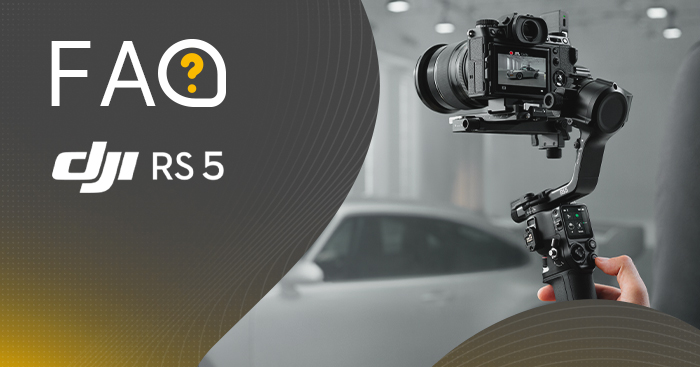
FAQ - DJI RS 5 - Frequently asked questions and answers
How many objects can DJI RS 5 track in ActiveTrack mode?
Stabilizer DJI RS 5 in ActiveTrack mode can track exactly one object.
How to adjust the composition when using ActiveTrack mode on DJI RS 5?
The composition when tracking in ActiveTrack mode can be adjusted in three ways:
- Swipe to the right on the gimbal's home screen and tap the icon in the lower left corner to access ActiveTrack settings. In the "Composition" section, you can choose:
- Keep the current composition - the gimbal will maintain the current frame.
- Center the tracked object - the tracked object will be positioned in the center of the ActiveTrack view. - You can use the joystick on the handle to control the movement of the gimbal and adjust the frame.
- The person being filmed can make a "Double L" gesture to activate the composition change. After moving to a new location, performing the "Double L" gesture again will validate the new composition.
What are the main improvements of DJI RS Enhanced Intelligent Tracking Module compared to DJI RS Intelligent Tracking Module? What types of objects it can track?
- The DJI RS Enhanced Intelligent Tracking Module can preview tracking directly on the RS 5 touchscreen, providing a clear view of tracking status.
- The range of supported objects has been expanded - instead of just a single person, the module can now also track individual vehicles, pets and other recognizable objects.
- Allows you to directly select an object on the RS 5 screen to start tracking, making it more intuitive and convenient to use.
- Automatically detects trackable objects and marks them with a gray box. Just turn the dial to switch between objects. Tapping the selected frame starts tracking.
What models of gimbals are compatible with DJI RS Enhanced Intelligent Tracking Module?
- Direct mounting: DJI RS 5, DJI RS 4 Mini
- Mounting adapter required: DJI RS 4*, DJI RS 4 Pro*
*When using the RS Enhanced Intelligent Tracking Module with DJI RS 4, RS 4 Pro or RS 4 Mini gimbals, make sure the gimbal's firmware is updated to the latest version. This configuration only supports tracking a single identifiable object (person, vehicle, cat or dog) and requires an environment devoid of similar disruptive elements. In addition, the tracking preview cannot be displayed on the touch screen of these models.
How the operation of the Enhanced Intelligent Tracking Module differs from the Intelligent Tracking Module in DJI RS 5?
When using the Intelligent Tracking Module with DJI RS 5, only people can be tracked - the module does not support other types of objects. In addition, the tracking preview cannot be displayed on the RS 5 touch screen.
Can the Intelligent Tracking Module be upgraded to obtain the features of the Enhanced Intelligent Tracking Module?
The Intelligent Tracking Module cannot be upgraded to serve as the Enhanced Intelligent Tracking Module.
How to upgrade DJI RS Enhanced Intelligent Tracking Module software?
- Download the corresponding software package on the product page DJI RS 5 on the official website DJI.
- Connect the Enhanced Intelligent Tracking Module to your computer using the included USB-C cable.
- Place the downloaded software package (file with extension .bin) in the root directory of the module.
- On Windows computers, you can disconnect the cable right away. On Macs, select "Eject" before disconnecting.
- Reconnect the module to the computer via USB-C - the update will start automatically. During it, the status LED will alternately flash red and green.
- A steady red light indicates that the update is complete.
Which gimbal modes are supported when using tracking and composition functions?
This function is supported only in PF (pan follow) and PTF (pan and tilt follow) modes. Not available in FPV mode (tilt, roll and pan follow).
What gestures are supported by DJI RS Enhanced Intelligent Tracking Module?
By default, the open hand gesture starts or stops tracking, the "V" gesture starts or stops recording, and the "Double L" gesture with both hands is used to adjust the composition.
In addition, you can customize the open hand, "OK" and "V" gestures, assigning them the function of starting/stopping tracking or recording.
What to do when an object is not centered despite setting this option in DJI RS Enhanced Intelligent Tracking Module?
First, swipe to the right on the RS 5 home screen, then tap the icon to access ActiveTrack settings. After selecting "Camera View Calibration," move the gimbal joystick left or right to align the frame of the tracking module with that of the camera.
What to do if the axis arm obscures the tracking module when using smart tracking and composition for low angle shots?
For low-angle shots, turn off the gimbal, turn it upside down, and then turn it back on again. This will position the roll axis motor behind the camera lens.
To return to the standard position, turn off the gimbal, set it upright again, and turn on the. If the flip-out camera screen is folded to the side, fold it so that it does not interfere with the axis arms.
How to activate DJI RS 5?
To activate the device, follow these steps:
- Press and hold the power button to turn on DJI RS 5.
- Turn on Bluetooth on your mobile device.
- Turn on DJI Ronin app and register or log in to your account DJI. Select DJI RS 5 in the device list, enter the default password (12345678) and follow the on-screen instructions to activate the hardware*.
- After successful activation DJI RS 5 will go into sleep mode. Before use, wake it up by pressing the power button once.
*During activation, make sure your mobile device has an Internet connection.
How to update DJI RS 5 software?
To update the software, follow these steps:
- Press and hold the power button to turn on DJI RS 5.
- Turn on DJI Ronin app, tap Connect to Gimbal and select DJI RS 5 in the device list*.
- If a new software version is available, a message saying "Update Now "** will appear at the top of the screen in the DJI Ronin app. Just tap it. Then the screen will show a message about the successful update. Touch Exit to end.
- If the update fails, restart the device and try again.
*If DJI RS 5 does not appear in the device list, tap the exclamation mark icon in the upper right corner of the gimbal's screen to reset the Bluetooth connection.
**Do not turn off the device or exit the app until the update is complete.
Is DJI RS 5 waterproof?
Not. Ports DJI RS 5 is not waterproof or dustproof. Keep the device away from water and dust during use to avoid damage to the device.
What material is made of DJI RS 5?
DJI RS 5 was made mainly of aluminum alloy.
What cameras and lenses it supports DJI RS 5?
You can find all the information you need at https://www.dji.com/support/compatibility.
Does DJI RS 5 have any keyboard shortcuts?
- Power button:
Press and hold: on/off.
Press once: switch to sleep/build mode.
Press twice: sleep without locking the axis / build. - Trigger:
Press and hold: enable Lock / FPV mode (customizable).
Press twice: re-center the gimbal.
Press three times: enable Selfie mode. - Front dial:
Focus motor (default setting). - Button to control the camera:
Press halfway: autofocus.
Press once: start/stop recording.
Press and hold: take a picture. - Joystick:
Zoom control:
Push up or down: zoom control of external focus motor, Power Zoom for Sony PZ or Sony Clear Image Zoom lenses.
Gimbal control:
Push up or down: control the movement of the tilt axis (default setting).
Push left or right: control the movement of the pan axis (default setting). - M button:
Press once: ability to set photo taking function, C1 / Fn button mapping or lock / unlock screen.
Press and hold: enable Sport mode.
Press and hold the M button while pressing the trigger twice: turn on Sport mode and stay in it. Repeat to exit.
Press and hold the M button and the trigger: start automatic tuning.
How to use automatic axle locks DJI RS 5?
When DJI RS 5 is off, press and hold the power button and the three axes will unlock and unfold automatically. This way they will be ready to use within seconds. Press and hold the power button again to lock the axes and turn off DJI RS 5. During use, press the power button once and the axes will automatically lock and sleep mode will be activated. Press again to unlock and wake up the device.
You can set the movement of automatic axis locks using the touch screen. When DJI RS 5 is on/off, the available movements are Recenter & Lock, Fold & Lock or None. When DJI RS 5 goes into sleep mode, available movements are Recenter & Lock or None. What's more, automatic axle locks also support manual locking and unlocking.
How to enable other modes of the gimbal DJI RS 5?
Using the gimbal's mode switch, you can quickly switch between PF, PTF and FPV modes. FPV mode can also be set as 3D Roll 360 or Custom using the touch screen.
Does DJI RS 5 have operating temperature restrictions?
It can be used at temperatures from -20° to 45°C (-4° to 113°F).
What to do if the axle arm DJI RS 5 does not want to lock?
Lift the axle lock latch, adjust its position, and then lock it again.
Can I use the fine adjustment knobs to balance the gimbal when the axis arms are locked?
This is not recommended, as it can damage the fine adjustment knobs over time.
How to enable Bluetooth shutter control on DJI RS 5?
Swipe down on the main screen of the touchscreen display and tap the Bluetooth icon. DJI RS 5 will start searching for Bluetooth signals from nearby devices. Choose the Bluetooth name of your camera. Some models require a pairing password. After a successful connection, the Bluetooth icon will turn blue. For detailed instructions, watch the tutorial DJI RS Series - How to Connect a Camera.
What features you can use with Dual-Mode Bluetooth DJI RS 5?
Press the camera control button halfway to control autofocus, press once to start/stop recording, or press and hold to take a picture. In addition, you can use the joystick to operate Power Zoom for Sony PZ lenses or Sony Clear Image Zoom.
What is the standby time of the handle with the battery DJI RS 5?
Standby time of the handle with battery is about 14 hours*.
*Standby time of 14 hours was obtained with the battery holder DJI RS BG33. The DJI RS BG33 mount is not available for sale in India. Data was measured in a room at 77°F (25°C) with the gimbal balanced, positioned horizontally and stationary until the charge level reached 3% (when the mount powered the gimbal only). Measurements were made in a controlled test environment. Actual results may vary depending on conditions, usage and software version.
How long does it take to fully charge the handle with the battery DJI RS 5?
It takes about 1 hour* to fully charge the handle with the battery DJI RS 5.
*Measured at an ambient temperature of 25°C (77°F) using a 65 W PD-enabled charger to fully charge the battery holder DJI RS BG33. The DJI RS BG33 mount is not available for sale in India.
Can you use DJI RS 5 while charging?
DJI RS 5 can be used while charging.
What accessories can be used interchangeably on DJI RS 5, DJI RS 4, DJI RS 3 and DJI RSC 2 models?
Check out the list of universal accessories from DJI RS series: https://dl.djicdn.com/downloads/DJI_RS_5/20260115/DJI_RS_Series_Universal_Accessories_List_en_202601.pdf
Whether the Electronic Briefcase Handle for DJI RS 5 can be used with DJI RS 4, DJI RS 4 Pro or older models?
Not. Signal-locking design in the mount may damage older gimbal models.
Can the Electronic Briefcase Handle for DJI RS 5 be mounted in the reverse direction?
No, the Electronic Briefcase Handle for DJI RS 5 can only be mounted in one direction.