


BetaFPV SuperG Nano Transmitter (Red)
 Drone service
 Rental
 Reliability
 Trust
Trust Own warehouse
  Warranty
BETAFPV SuperG Nano Transmitter (Red)
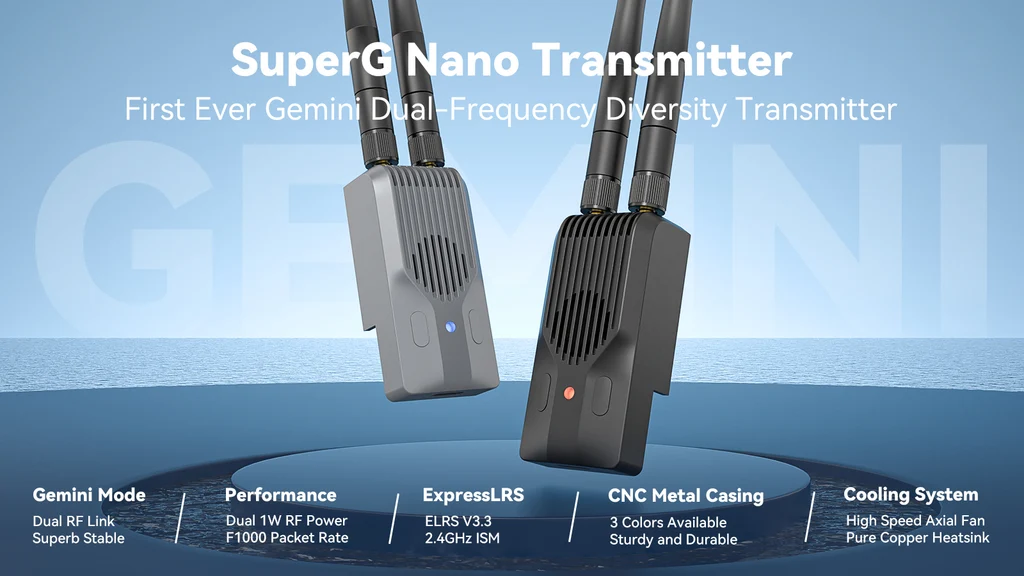
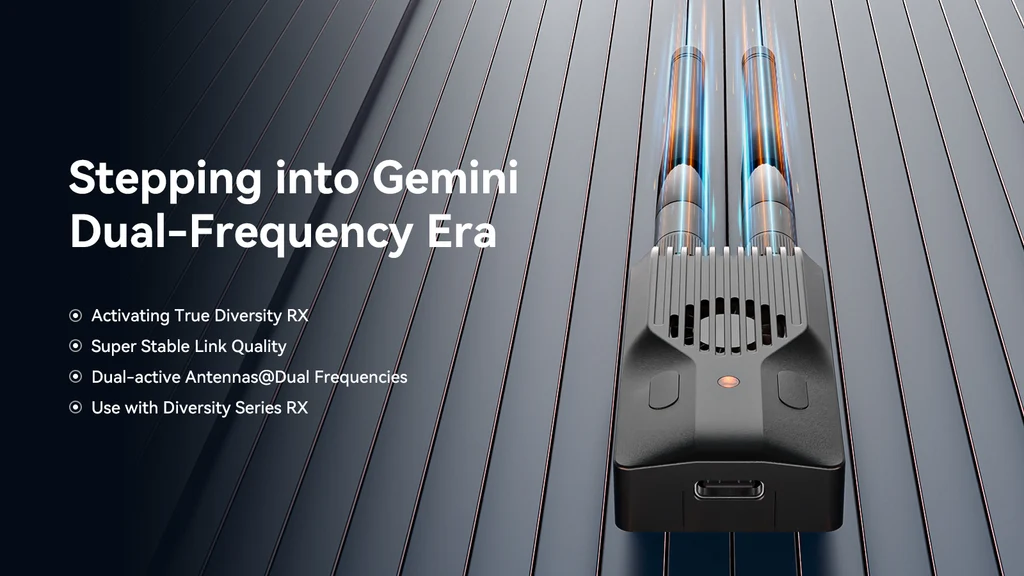
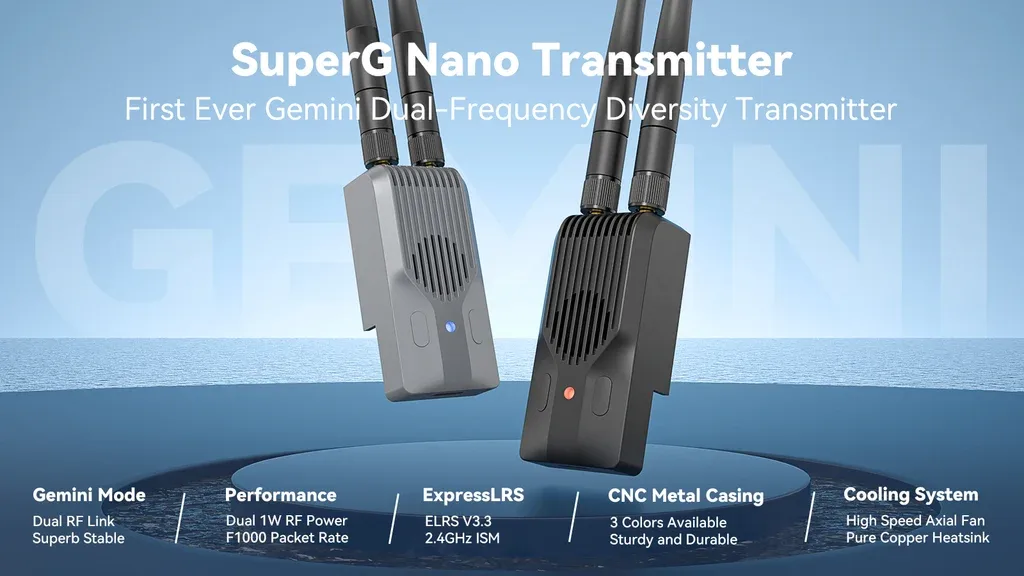
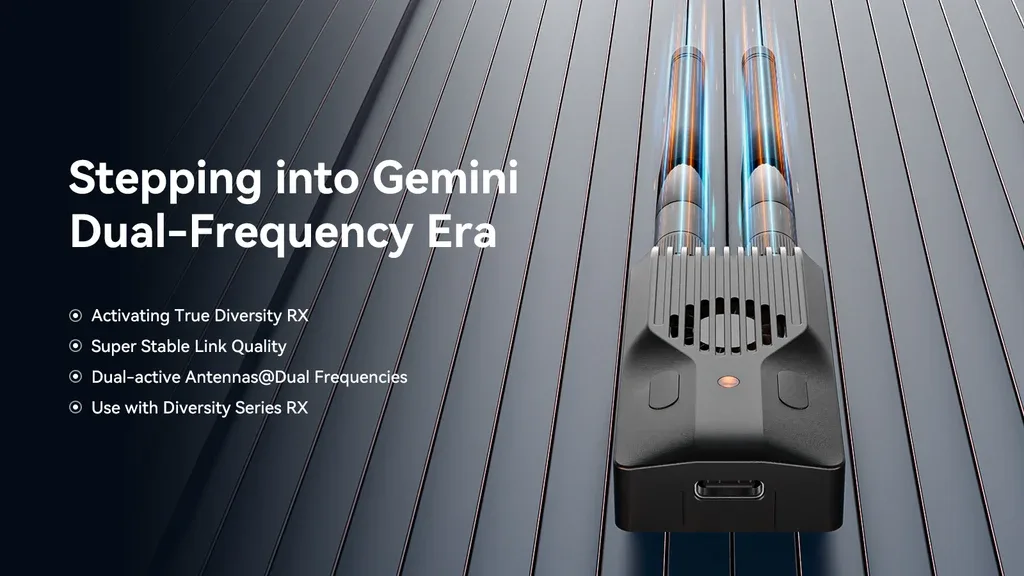
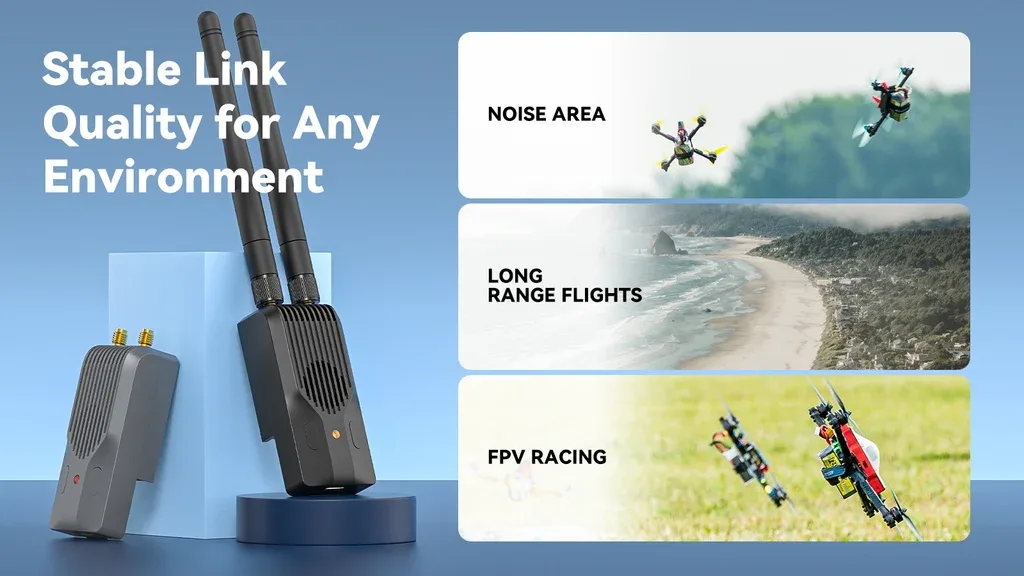
The BETAFPV SuperG Nano is a breakthrough ExpressLRS 2.4GHz transmitter module built on ELRS V3.3 and developed in collaboration with the ELRS team. As the world’s first Gemini dual-frequency diversity transmitter, it is designed for pilots who want rock-solid link quality, stronger anti-interference performance, and the confidence to fly in demanding RF environments. Paired with SuperD or SuperP receivers, the SuperG Nano can fully unlock Gemini mode for the best possible connection experience.
With dual active RF output up to 1W per channel, a CNC-machined aluminum case, advanced cooling, and support for long-range external power input, this module is a serious upgrade for FPV racing, long-range missions, multi-pilot sessions, and professional aerial work.
Key Features
- First-generation Gemini dual-frequency diversity transmitter for ExpressLRS.
- Dual 1W RF output for stronger signal penetration, longer range, and improved control reliability.
- Optimized for Gemini mode when used with compatible SuperD or SuperP receivers.
- Excellent interference resistance in complex and crowded radio environments.
- CNC aluminum housing with an efficient thermal design for dependable performance under load.
- Built-in cooling system with optimized airflow and high-speed fan support.
- 2 customizable buttons for quick access to useful functions such as bind, power adjustment, and VTX control.
- USB Type-C port and 7V–13V external power input for long sessions and high-power use.
- Supports ExpressLRS Backpack and Lua script configuration.
- Compatible with many popular radios using Nano TX bays and CRSF protocol support.
Specifications
- Product: BETAFPV SuperG Nano Transmitter Module | ELRS 2.4G
- Weight: 44.8g
- Color: Black / Red / Grey
- Antenna Connector: 2 × RP-SMA
- RF Power: 25mW / 50mW / 100mW / 250mW / 500mW / 1000mW
- Packet Rates: 50Hz / 100Hz / 150Hz / 250Hz / 333Hz / 500Hz / D250 / D500 / F500 / F1000
- Frequency Band: 2.4GHz ISM
- Backpack: Supported
- Input Voltage: 7V–13V DC
- Rated Current: 8V, 1000mA @ 1000mW, 1:128 telemetry ratio, Gemini mode
- USB Port: Type-C
- Fan Voltage: 5V
- Default Firmware: ExpressLRS V3.3.0
- Target Name: BETAFPV SuperG Nano 2.4GHz TX
Transmitter Layout
Below is the SuperG Nano transmitter diagram for a closer look at the module layout and hardware design.
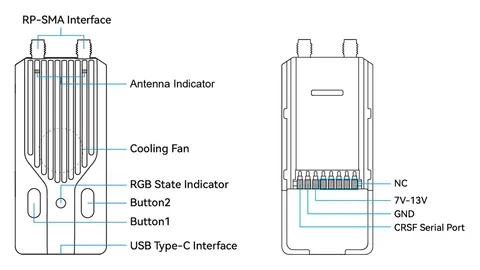
Important: Always install the antenna before powering on the transmitter. Powering it up without an antenna may permanently damage the PA circuit.
The table below highlights the progress of the SuperG Nano compared with the ELRS Nano TX Module and ELRS Micro TX Module.
| Product | SuperG Nano TX | Nano TX | Micro TX |
| Max RF Power | Dual 1000mW | 500mW | 500mW / 1000mW |
| RF Chip | Dual SX128x | Single SX128x | Single SX128x |
| Antenna Mode | Gemini | Single | Single |
| Cooling System | Supported | Not Supported | Supported |
| Backpack | Supported | Not Supported | Supported |
| External Power | Supported, 7–13V | Not Supported | Supported, 5–12V |
Learn More About Diversity and Gemini Modes
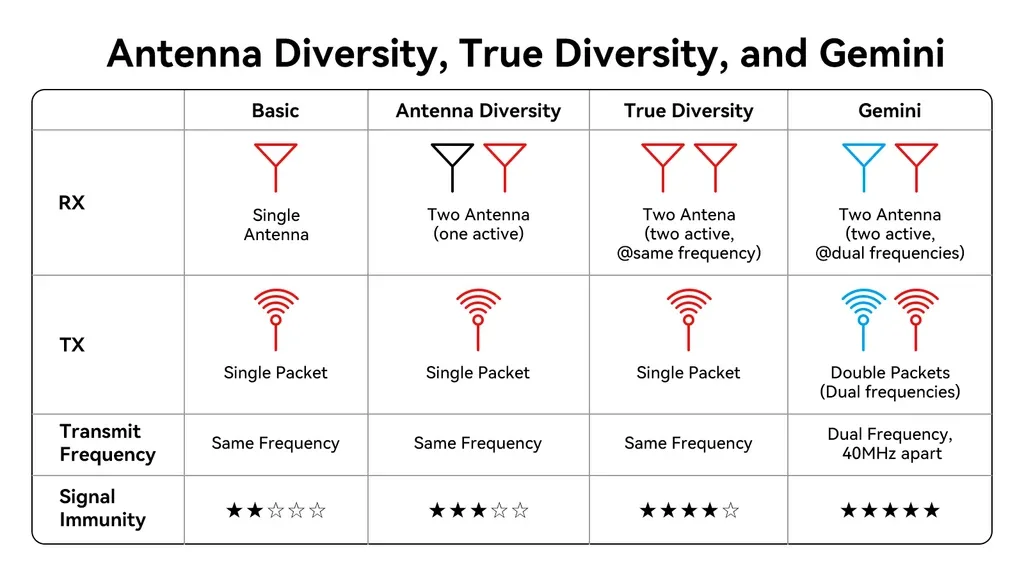
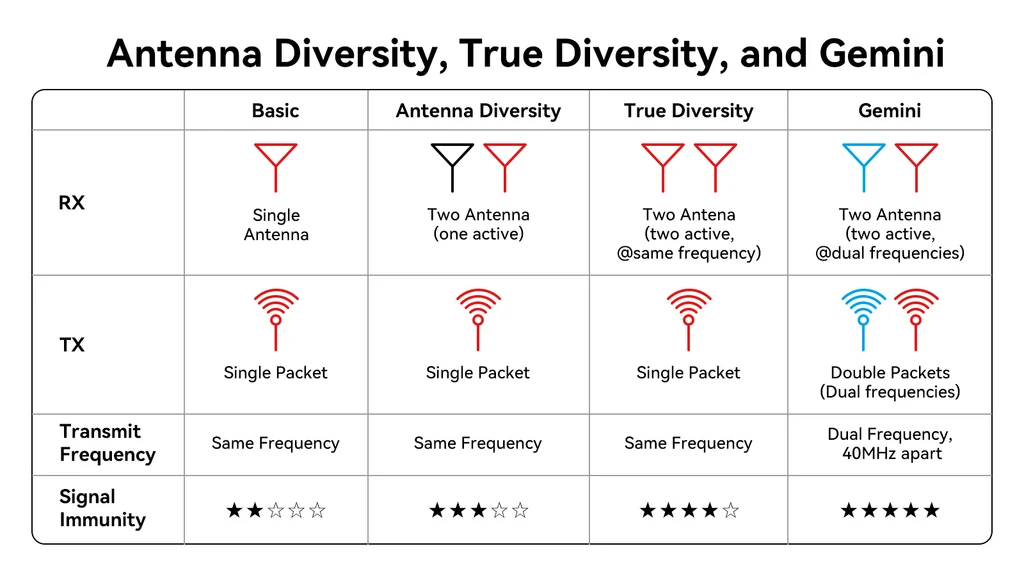
- Diversity mode: two antennas are switched regularly to read RSSI values and select the better antenna for receiving data.
- True Diversity mode: both antennas receive data on the same frequency, and the antenna that receives valid data first is used.
- Gemini mode: both antennas receive telemetry simultaneously with a 40MHz frequency offset. Data is also transmitted at the same time on different frequencies, allowing identical packets to be received across different frequencies and antennas for outstanding link stability.
Gemini is one of the most advanced features in ExpressLRS, delivering higher reception stability and improved resistance to interference. For pilots who fly in difficult RF conditions, it offers a major edge in consistency and confidence.
The SuperG Nano supports Gemini mode natively. Test results show that at a 1000Hz refresh rate, LQ in True Diversity mode fluctuates around 90–100, while switching to Gemini stabilizes LQ at 99–100, demonstrating just how effective this system is for maintaining a reliable link.
Pairing with Diversity Receivers
Gemini mode is built on the hardware foundation of True Diversity receivers and requires a dual RF output high-frequency module. When used with products from the BETAFPV Super series, Gemini mode can be fully utilized for maximum performance. The table below shows the relationship between transmitter mode, receiver type, and antenna reception mode.
TX |
RX |
Antenna Reception Mode |
ANT1 / ANT2 / Switching |
Single |
Single |
Diversity |
Diversity |
|
Gemini |
Single |
|
Gemini |
Single |
Single |
Diversity |
Diversity |
|
Gemini |
Gemini |
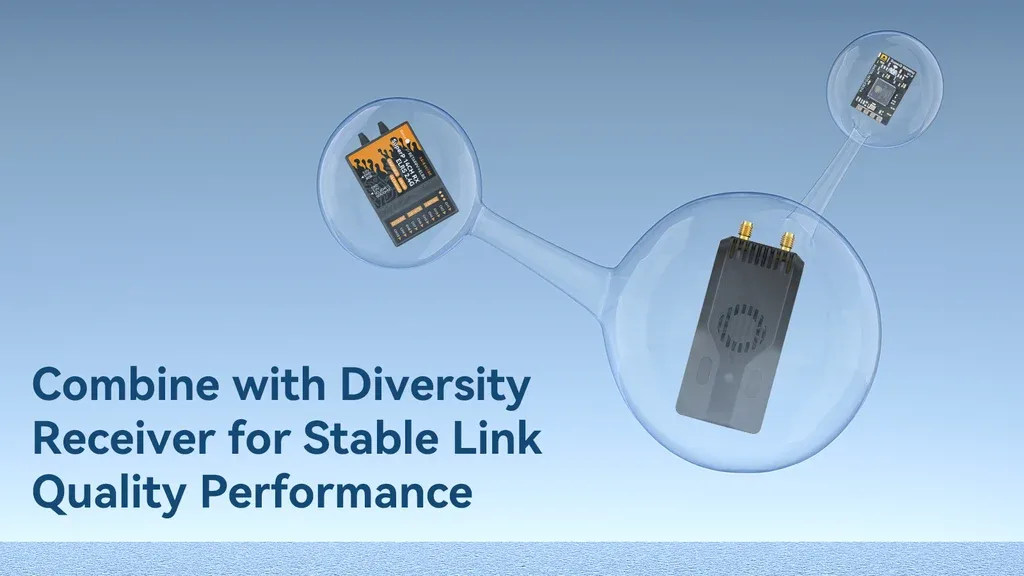
Used together with a True Diversity receiver, this setup delivers an exceptionally stable and powerful radio link, making it a great choice for long-range flights, FPV racing, and multi-pilot flying where low latency and high reliability matter most.
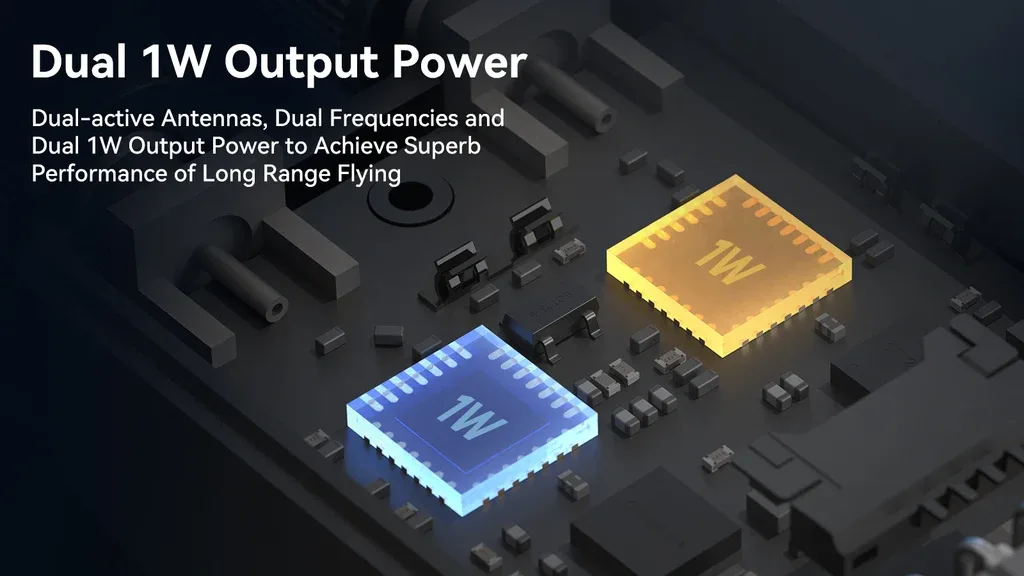
Dual 1W Output Power
The SuperG Nano features dual active antennas working on dual frequencies, with each channel capable of transmitting at up to 1W output power. The result is stronger signal performance, greater transmission distance, and a more confident control link for serious pilots.
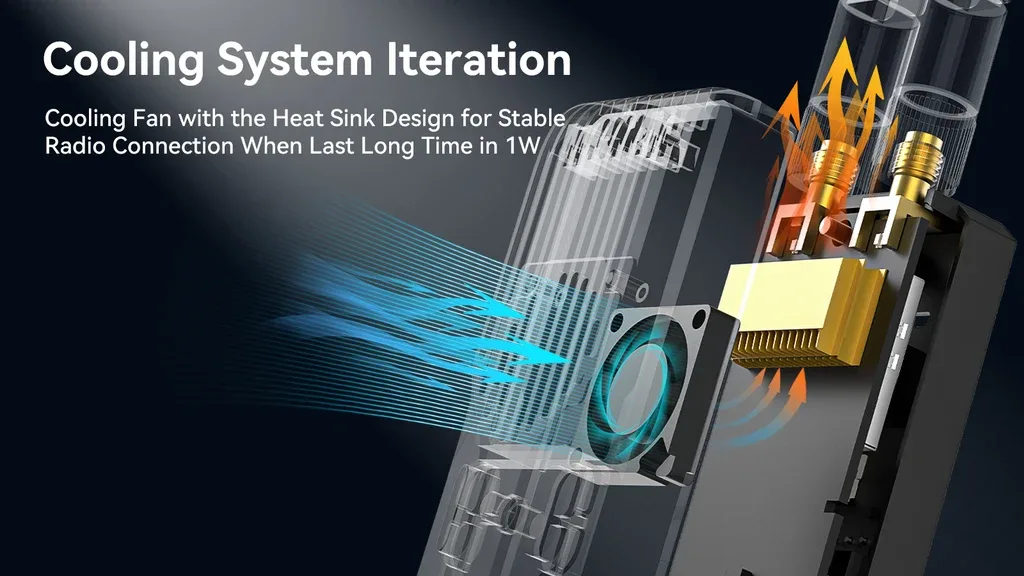
Upgraded Cooling System
The housing is made from anodized CNC aluminum for durability and efficient heat transfer. Combined with optimized internal airflow, a high-speed fan, and copper heatsink fins, the cooling system helps the SuperG Nano stay reliable even during high-power operation.
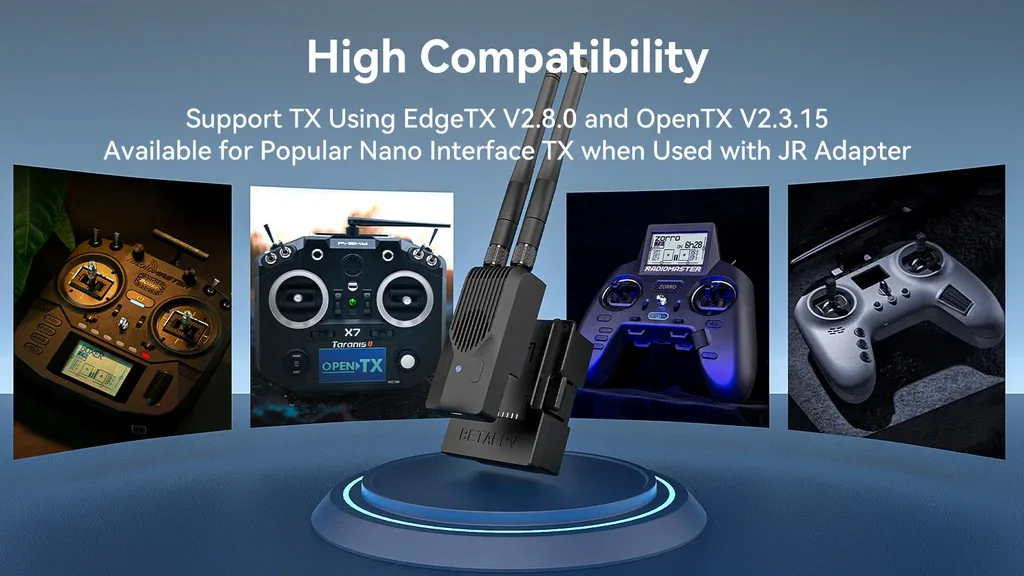
Compatible with Most Popular Radios
The SuperG Nano can be configured through a Lua script and works smoothly with EdgeTX and OpenTX radios that support CRSF. It is compatible with many popular Nano TX form-factor radios, including Radiomaster TX16, Boxer, Zorro, Jumper T16, T20, T Pro, and FrSky QX7, X9, and X Lite.
Note: The LiteRadio 3 Pro does not support dual transmitter power above 100mW due to power supply limitations.
Stand Out with Bold Color Options
The SuperG Nano combines advanced RF performance with a sharp, personalized look. Available in red, grey, and black, it offers a great match for pilots who want both top-tier performance and standout style on their radio setup.

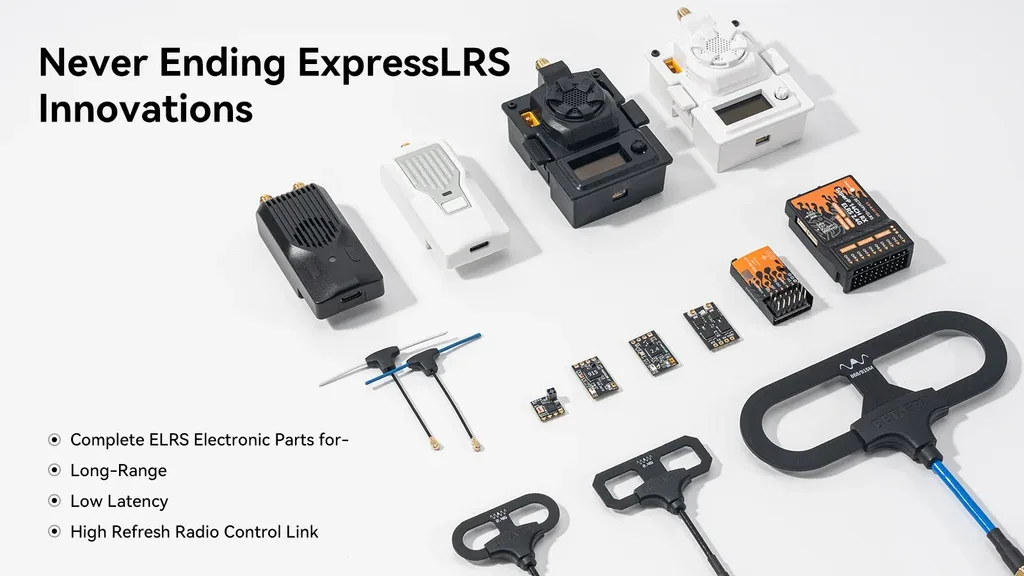
Part of the ELRS Ecosystem
The ExpressLRS lineup expands with the SuperG Nano Transmitter, bringing long range, low latency, and high refresh rates to demanding radio control applications. For the best connection quality, pair this Gemini TX module with receivers from the BETAFPV Super series.
Basic Setup
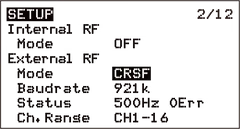
The SuperG Nano is designed to receive signals using the CRSF (Crossfire Serial Data) protocol. Your radio’s RF module interface must support CRSF output. In EdgeTX, go to MODEL SEL, then SETUP, disable internal RF, enable external RF, and set the output mode to CRSF.
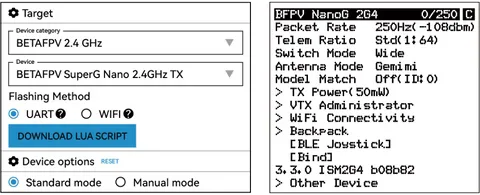
Lua scripts make configuration quick and convenient directly from your radio.
- Download the elrsV3.lua script from the BETAFPV Support Center or ExpressLRS Configurator.
- Copy the script to the Scripts/Tools folder on your radio’s SD card.
- In EdgeTX, hold the SYS or MENU button to open the SD-HC CARD menu.
- Select and run elrsV3.lua.
- Once launched successfully, the configuration interface will appear as shown below.
Custom Buttons
The SuperG Nano includes two user-configurable buttons that can be customized for handy shortcuts.
- Enable the transmitter WiFi or power it on and wait 60 seconds to enter WiFi mode via Lua programming.
- The RGB indicator will slowly flash green, showing that WiFi is active automatically (SSID: ExpressLRS TX, Password: expresslrs).
- Connect using a smartphone or computer and open the browser page at
http://10.0.0.1. - Assign button functions on the settings page, choose the action type, number of presses, or press duration, then click save.
Default Factory Button Functions
| Button | Function | Type | Count / Duration |
| Button 1 (Left) |
Bind Mode | Short Press | 3 Presses |
| Increase Power | Long Press | 0.5 Seconds | |
| Button 2 (Right) |
Enter VTX Channel Menu | Short Press | 2 Presses |
| Send VTX Settings | Long Press | 0.5 Seconds |
Note: This transmitter does not support RGB backlit buttons.
Binding and External Power
The SuperG Nano ships with official ExpressLRS V3.3.0 firmware and no binding phrase configured by default. The receiver should be running V3.0.0 or newer. For the best performance, it is recommended to position the transmitter antennas as far apart as possible.
- Put the receiver into bind mode and wait for connection.
- In the Lua script, tap Bind or use the assigned shortcut button to enter bind mode.
- If the indicator stays solid, binding has completed successfully.
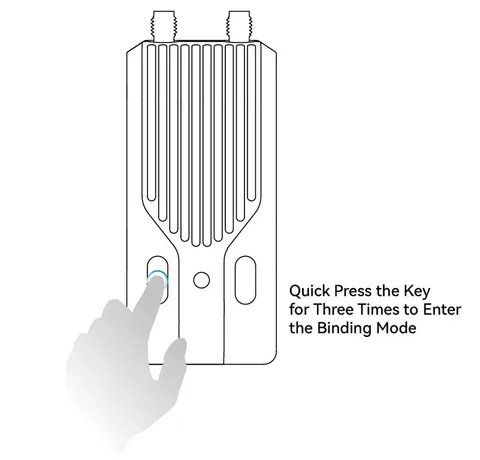
Note: If the TX firmware is reflashed and a binding phrase is configured, you cannot enter bind mode using the method above. In that case, set the receiver to the same binding phrase as the transmitter for automatic binding.
At power levels above 500mW, the SuperG Nano draws significantly more current, which can shorten your radio battery runtime. For longer sessions, using an external power source is strongly recommended.
- Power consumption depends not only on RF output but also on telemetry ratio. At 500mW and above, using a higher telemetry ratio can help reduce power consumption and extend runtime.
- For example, in Gemini mode, current draw at a 1:128 telemetry ratio is 1000mA, while at 1:2 it is roughly half of that.
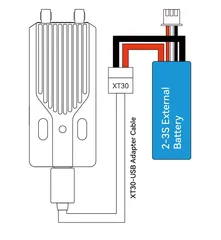
Note: If the radio battery or external power source drops below 7V (2S) or 10.5V (3S), use Gemini mode at 500mW or 1W with caution. Insufficient power may cause the transmitter to reboot, potentially resulting in loss of control.
FAQ
Can’t enter the Lua script while connecting?
- Your ELRS Lua script version may be outdated and should be updated to elrsV3.lua.
- Your radio’s baud rate may be set below 400K and needs to be increased above that value.
- If there is no baud rate adjustment option, update your radio firmware and make sure EdgeTX is running V2.7.0 or newer.
Can’t use F1000 packet rate or seeing “Baud rate is too low”?
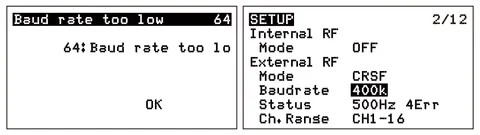
- Reason: F1000 requires a baud rate above 400K, while many radios default to 400K.
- Solution: Increase the baud rate setting above 400K in the model or system settings, then reboot the radio and change the packet rate again.
F1000 is enabled, but the packet rate between the radio and SuperG Nano is still below 1000?
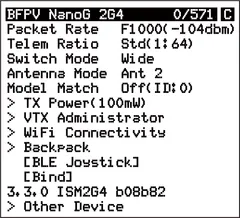
- Reason: EdgeTX version issue.
- Solution: Update EdgeTX to 2.8.0 or newer. The LiteRadio 3 Pro ships with EdgeTX 2.8.0 by default and does not have this issue.
Important: The default SuperG Nano firmware is ELRS V3.3.0, and the receiver must be updated to V3.0.0 or newer for binding compatibility.
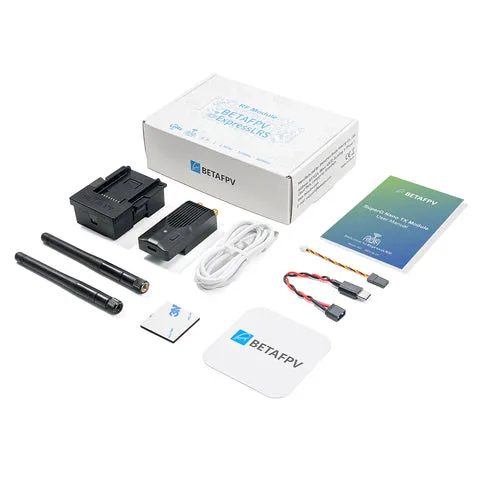
What’s Included
- 1 × SuperG Nano Transmitter (Black / Red / Grey)
- 2 × 2.4G Adhesive Antennas
- 1 × USB to Type-C Cable
- 1 × Type-C Male to XT30U Male Cable
- 1 × GH1.25 Male to FUTABA Male Cable
- 1 × Micro-to-Nano Module Adapter (Standard Version)
- 1 × Double-Sided EVA Foam Pad
- 1 × User Manual
- 1 × Service Card
Specification BetaFPV SuperG Nano Transmitter (Red)
 Get expert advice